How to Protect Ad Campaigns from Bots and Low-Quality Traffic

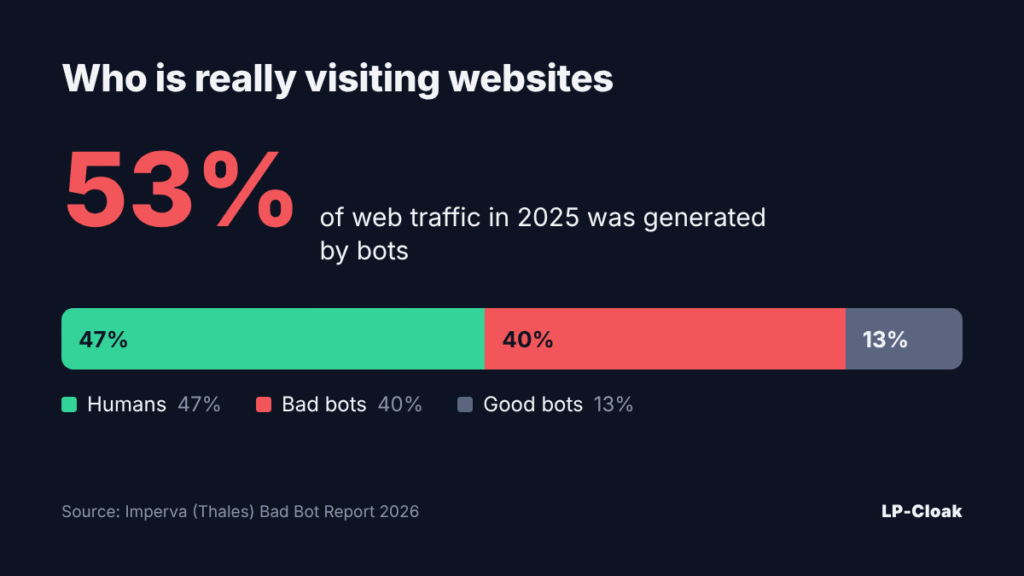
You pay for a click, and a script lands on your page. It never fills in the form, never buys, and it pollutes the data your campaign optimization learns from. According to the Imperva Bad Bot Report 2026, bots generated 53% of all web traffic in 2025, and bad bots alone made up 40%. Real people accounted for just 47% of site visits.

What Bots Cost Advertisers

Lunio analyzed 2.7 billion paid clicks across Google, Meta, TikTok and other networks and put losses to invalid traffic in 2025 at $63 billion. In a separate Lunio survey, 75.6% of marketers said they lose more than 5% of their monthly budget to bots. Only 5.3% use a dedicated protection tool.

For a media buyer, the damage comes twice. The money for fake clicks is already gone, and the pixel has been fed bot signals, so it now looks for a “lookalike” audience among more bots. Cost per lead climbs even when the creative and the offer work fine.
Who Is Behind Low-Quality Traffic

  • automated clickers and bot farms inflating impressions and clicks;
  • spy tools and scrapers collecting your creatives and landing pages;
  • competitors visiting manually through a VPN or an antidetect browser;
  • traffic from data centers and hosting providers instead of home ISPs;
  • visitors from the wrong GEOs who slipped in through broad targeting.

How to Spot Bots in Your Stats

Warning Signs to Watch

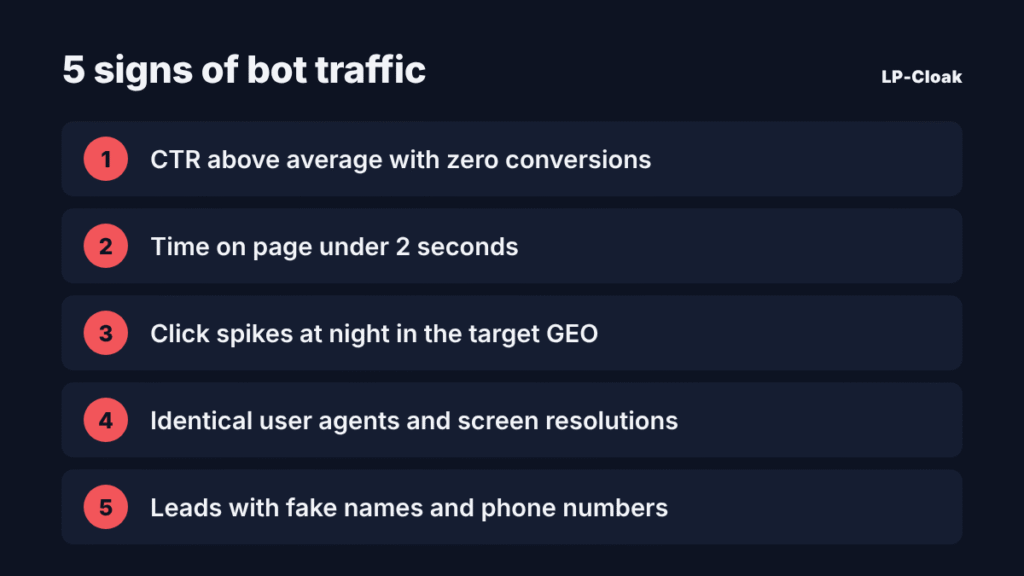
Check the campaign during the first days after launch, while the budget is still small. Red flags include a CTR above the vertical’s average with zero conversions, time on page under 2 seconds, click spikes at night in the target GEO’s time zone, identical user agents and screen resolutions, and leads with made-up names or dead phone numbers.
Why Manual Checks Are No Longer Enough

Spider Labs reports that in 2026, 64.4% of automated invalid traffic mimics real user behavior. These bots scroll, move the cursor and come from residential IPs. A hand-built IP blacklist goes stale within days.

Layered Campaign Protection

Layer 1. Ad Account Settings

Narrow GEO targeting to the regions you need, exclude placements with abnormal CTR, and schedule ads for your audience’s active hours. This removes part of the junk before the click, but it won’t stop targeted bots.

Layer 2. Filtering Every Visit

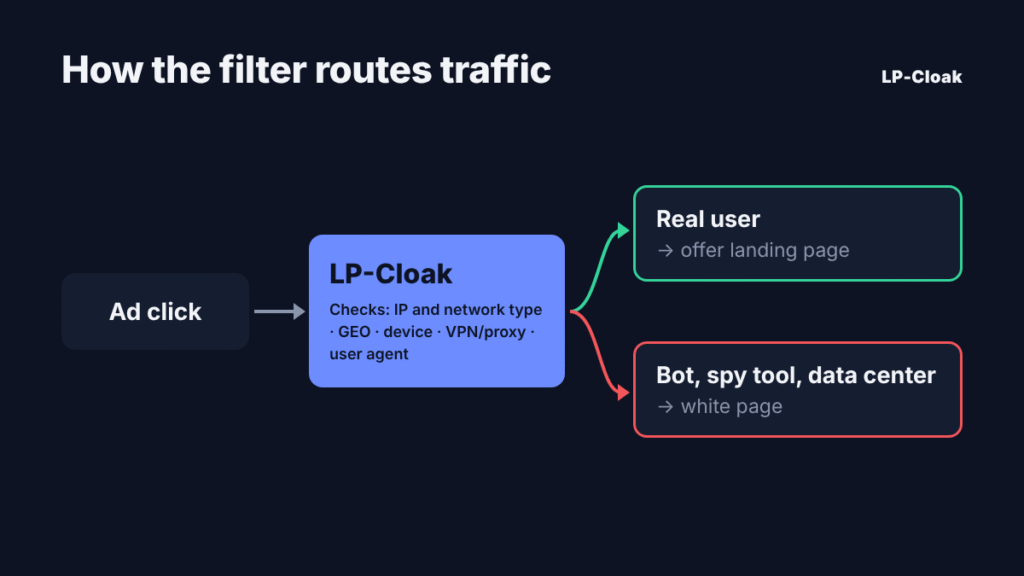
The main defense works at the site level. A traffic filtering service checks each visitor in a fraction of a second and decides which page to show. A real user sees the offer page, while bots and spy tools get the white page.

What the Filter Checks

The IP address and network type (home ISP, mobile carrier or data center), GEO, device and operating system, user agent, VPN and proxy use, browser language and referrer. The more parameters the filter cross-checks, the lower the odds for a bot that faked only one of them.

Layer 3. Lead Quality Control

Some junk leads will get through even after filtering. Validate phone numbers in the form, send leads to a CRM and track approval rates per traffic source. That shows you which placements bring traffic that never reaches a purchase.

How LP-Cloak Filters Out Bots and Untargeted Visitors

LP-Cloak is a cloud-based traffic filtering service. It analyzes every click in real time and detects bots, spy tools, scrapers and data-center visits. Targeted visitors reach the main page, and everyone else sees the white page.

Setup takes a few minutes through a PHP integration, with no coding required. The service works with Facebook, Google Ads, TikTok and other sources. The dashboard offers flexible filters, blacklists, A/B page testing and detailed stats showing how many visits were filtered out and why. One stream is free with no time limit, and paid plans start at $29 per month. Setup guides for different traffic sources are published on the LP-Cloak blog.

The filter and the white page work as a pair. The filter decides who sees what, and the page for filtered traffic should look like a real website with content, not an empty placeholder.
Pre-Launch Checklist

  1. Connect a traffic filter to your landing page before ads go live.
  2. Set the allowed GEOs, devices and network types.
  3. Prepare a solid white page that matches the campaign topic.
  4. Make sure UTM tags and the pixel pass data correctly.
  5. For the first 2–3 days, compare filter stats with ad account data daily.
  6. Turn off placements where the share of filtered traffic stays above average.

Bots aren’t going anywhere, and there are more of them every year. Build filtering into every launch, the same way you set up the pixel and UTM tags.

What to Choose for Dating Traffic in 2026

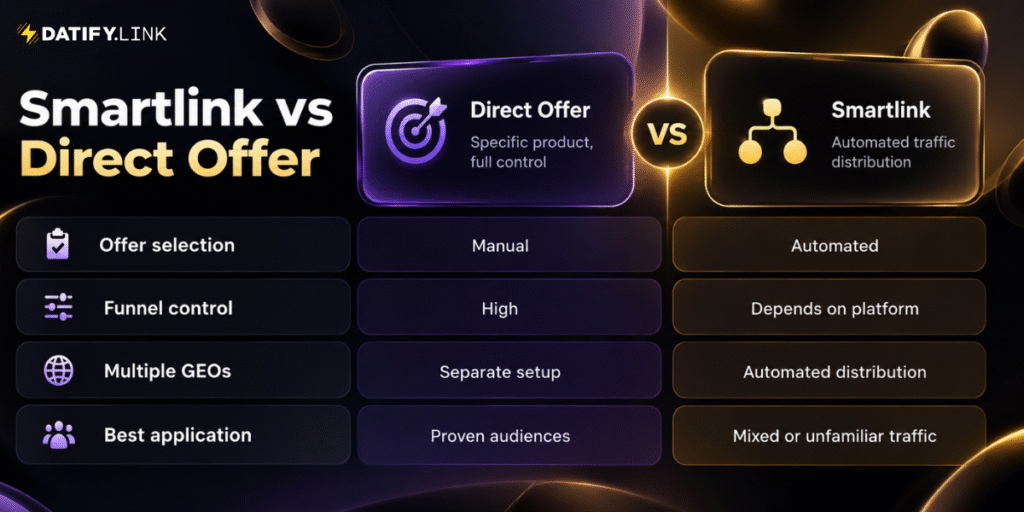
Dating remains a competitive vertical, where profitability depends not only on traffic quality but also on how effectively that traffic is monetized. One of the key decisions media buyers face is whether to send visitors to a specific offer or use a smartlink that distributes traffic across multiple campaigns. Direct offers provide control over the funnel, while smartlinks simplify distribution across GEOs and devices.

What Is a Direct Offer?

A direct offer promotes a specific product under predefined conditions: GEO, device, traffic source, payout model and conversion requirements. The media buyer builds the campaign around it, adapting creatives, targeting and pre-landers to the product. This gives control over the user journey, but testing several offers across markets requires extra time and budget.

What Is a Smartlink?

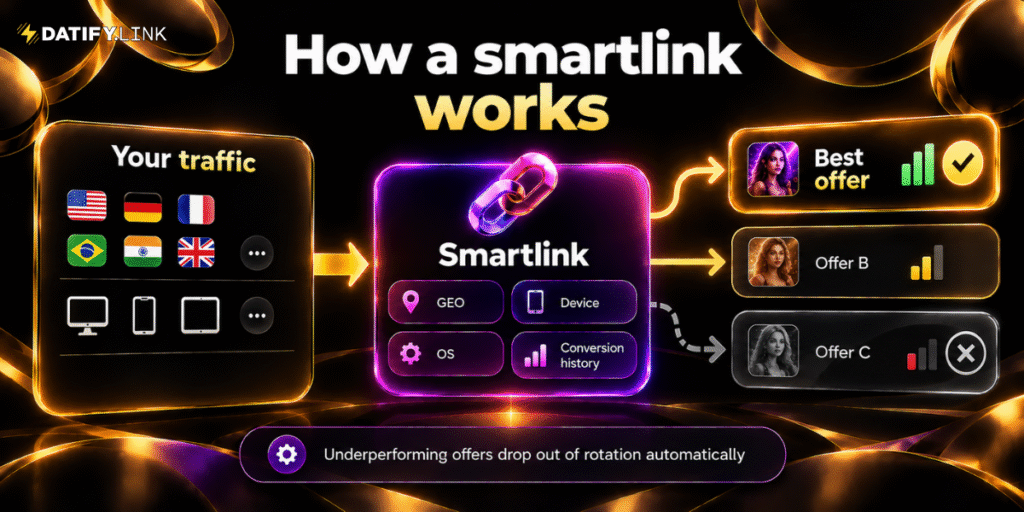
A smartlink is a single URL that distributes traffic among multiple eligible offers. Routing algorithms can consider GEO, device, OS, browser and historical conversion performance to decide which offer receives each click. This is especially useful for mixed traffic, where separate campaigns for every combination would require significant manual effort.

Testing Costs

Direct offers are tested individually, which gets expensive across multiple GEOs. Smartlinks reduce manual offer selection during initial testing, but automation does not eliminate ad spend or guarantee profit: conversion rate, EPC and acquisition costs still need analysis.

Control and Scaling

Direct offers work best when a profitable audience is found and the whole funnel can be optimized around one product, with individual rates negotiated for volume. Smartlinks offer more flexibility when expanding into new GEOs or working with diverse audiences.

When to Choose Each Model

Choose a direct offer when you know your audience, have a proven GEO and source combination, and need precise control over the landing page. Choose a smartlink for testing unfamiliar markets, managing mixed traffic or reducing manual offer management.

The Combined Strategy: Test, Compare, Optimize

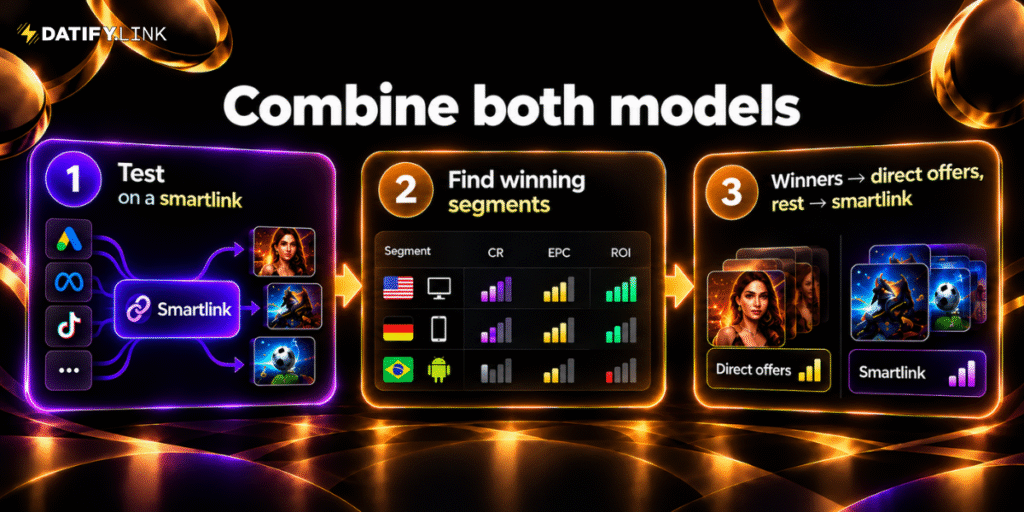
Experienced teams rarely choose one model exclusively: they explore traffic through automated routing and then focus on specific campaigns once enough data is collected.

How It Works in Practice

Stage 1. Identify Profitable Segments

Start with a controlled budget and collect statistics by GEO, device and source. Two metrics matter most:

EPC = Total Revenue / Total Clicks

ROI = (Revenue − Advertising Costs) / Advertising Costs × 100%

An offer paying $5 with a 2% conversion rate gives $0.10 EPC, while one paying $3 with 5% gives $0.15. Despite the lower payout, the second earns more per click.

Stage 2. Test Direct Offers on Strong Segments

Test suitable direct offers on profitable segments under comparable conditions. If a direct offer consistently outperforms the smartlink, give it more traffic; keep other segments on automated routing.

Applying the Strategy with a CPA Network

A network that supports both models simplifies campaign management. For example, Datify.Link offers smartlink monetization and 1,200+ offers across Dating, iGaming, Cams and Games. Its AI allocator distributes traffic and disables underperforming offers, and a personal manager helps pick campaigns for specific sources and GEOs.

Conclusion

Direct offers give control over proven campaigns, while smartlinks simplify distribution and market exploration. Combining both, with decisions based on EPC, ROI and traffic quality, is the most practical strategy. To try both approaches, register at Datify.Link.

Proxies for Media Buyers in 2026: How Not to Lose Accounts at the Start

Most accounts are lost in the first days, during registration and warm-up. Usually it is not the creative but the address the account was opened from.

Why accounts get banned over the IP

Platforms judge the network an account is opened from, not just the behaviour inside it. Three situations cause most losses.

  • One address for several accounts. Five ad accounts on one IP read as connected, and a ban on one pulls the rest down.
  • Geo mismatch. The account and the campaign are on Germany, the login comes from Poland. To an anti-fraud system that is a reason for an identity check.
  • Frequent IP changes. An address that shifts between sessions looks like an attempt to hide the location, the more so if the country changes too.

Types of proxies

There are five types: free and public, shared, datacenter, residential and mobile. What differs is the origin of the address, and platforms judge by it.

Pros and cons by type

Free and public

The only advantage is the price. The address has been used by hundreds of people, the speed is unpredictable, the traffic runs through someone else’s equipment. Accounts on such IPs are lost at registration.

Shared

Cheaper than individual ones, with the address split between clients. Fine for parsing, not for ad accounts: the IP’s reputation depends on everyone using it.

Datacenter

Stable and affordable, with the address yours for the whole rental period. The network type reads as hosting, so registration is rarely done on them: this is a type for trackers and automation.

Residential

Home provider addresses, billed by traffic, with a rotation interval you set yourself. They fit tasks that need a live IP briefly, like checking the white page from the target country.

Mobile

Carrier IPs, with the network type detected as mobile. Platforms trust them most, which makes them the usual choice for registration and warm-up. The downsides are the price and an address that changes on its own.

What to look at

  • Type. The more a lost account costs, the more “live” the address must be.
  • Geo. The proxy country matches the campaign and the white page language; cities matter for local offers.
  • Rotation and billing. An ad account needs a fixed address; checks run cheaper on traffic billing.
  • Protocols. HTTP(S) and SOCKS5 cover an anti-detect browser and most software.
  • Issue speed. When an account is down, a day’s wait for confirmation will not do.
  • Support. Check the response time and whether dead addresses are replaced.

Proxys.io as a working solution

All three problems above are solved at the level of the address. Proxys.io has been running since 2016, and its catalogue answers each of them.

An address per account. Mobile, residential and datacenter proxies, IPv4 and IPv6 in one dashboard: an IP per profile costs less than a lost account.

A geo that fits the campaign. Coverage of 240+ countries: the address is picked for the offer, not the reverse.

An address that stays put. Static plans keep the IP yours; residential ones let you set the rotation interval.

The remaining criteria are covered the same way: delivery right after payment, HTTP(S) and SOCKS5 on every address, 50+ payment methods including crypto, an API for teams, a free test, and 24/7 support that answers in about half a minute.

How to connect it

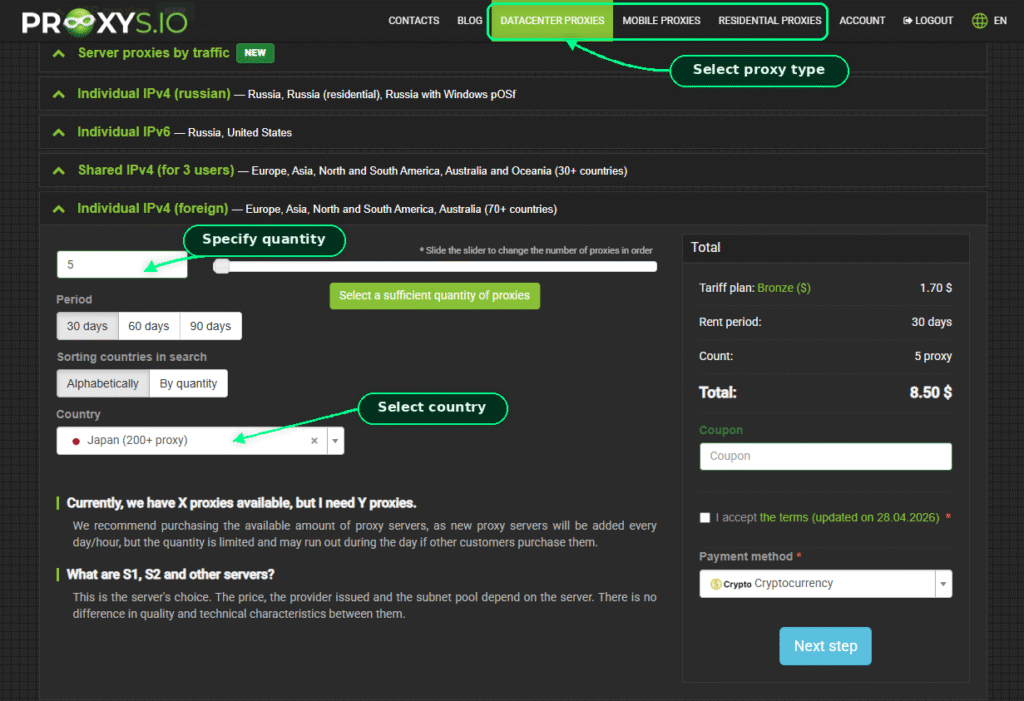
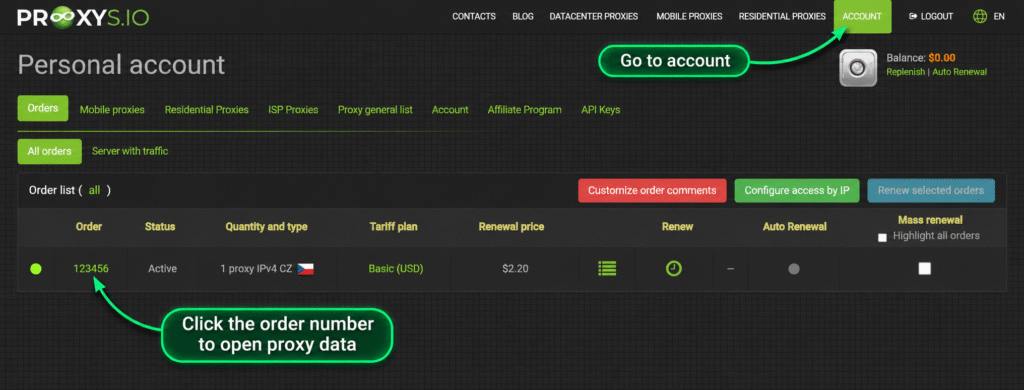
  1. Pick the type and geo on Proxys.io: mobile or residential for an account, datacenter for software.
  2. Pay for the order, entering the promo code in the form first.
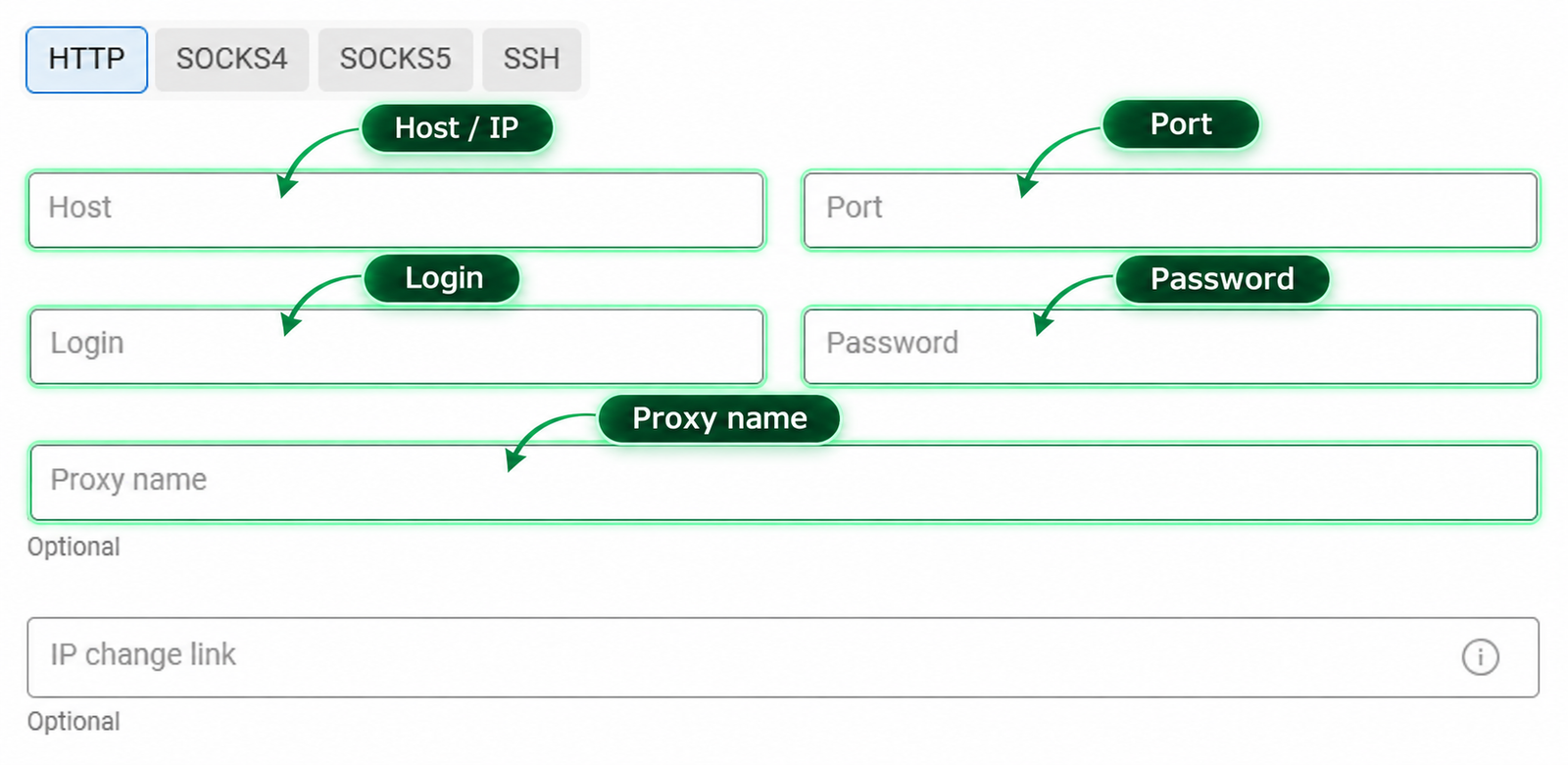
  3. Collect the details: IP or domain, the HTTP(S) port, a separate SOCKS5 port, login and password.
  1. Enter them in the anti-detect profile and test the connection before signing in.

Media buying scenarios

  • Registration and warm-up. Google Ads, Meta, TikTok, Bing, Telegram Ads – one address of the right country per account, fixed from day one.
  • Multi-accounting. One account, one anti-detect profile, one proxy.
  • Checking the white page. A residential address shows the page as a visitor from the target geo sees it.
  • Team work. The API spreads addresses across buyers, no credentials in chats.

Common mistakes

  • Free and shared proxies on ad accounts. Saving on the address costs the account and the farming time.
  • Changing the geo of a live account. Even a neighbouring country lands in the login history and triggers a check.
  • One address across several profiles. The platform links them, and a ban on one carries over to the rest.
  • A geo that does not match the white page language. A German IP with an English page is a mismatch for moderation and for conversion.
  • The first login without testing the address. Test the IP before signing in: replacing it later is harder.

Conclusion

Proxies replace neither an anti-detect browser nor careful account handling, and no one can promise there will be no bans. But most early losses come down to the address, and discipline closes that part.

White Link readers have two codes at Proxys.io: WHITELINK for 10% off datacenter proxies and WHITELINK35 for 35% off traffic-billed residential ones. Enter it in the order form before payment.

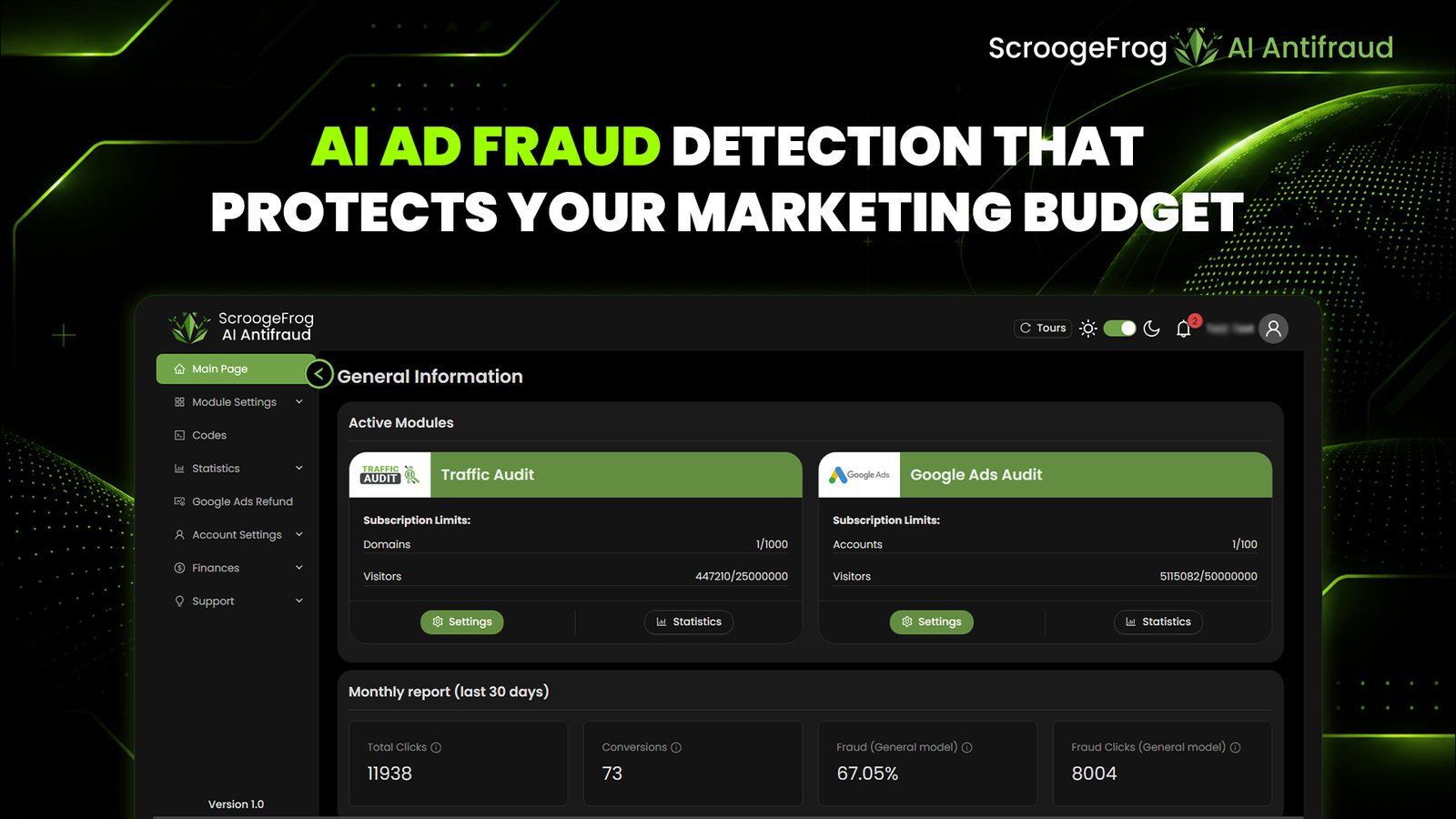
Beat Network Bans and Bot Traffic with ScroogeFrog Agency Accounts and AI Antifraud

With over 15 years in the AdTech space, ScroogeFrog has established itself as a battle-tested ecosystem for media buyers, affiliate marketers, and scaling brands. Operating in an industry where algorithmic shifts, sudden bans, and rampant bot traffic can destroy profit margins overnight, ScroogeFrog addresses the two biggest pain points in modern performance marketing: fragile advertising infrastructure and unpunished ad fraud.

Instead of offering disconnected tools, ScroogeFrog combines enterprise-grade agency accounts with a proprietary machine-learning anti-fraud engine, giving marketers a complete setup for safe, high-volume scaling.

1. Enterprise Agency Accounts Across 100+ High-Quality Traffic Sources

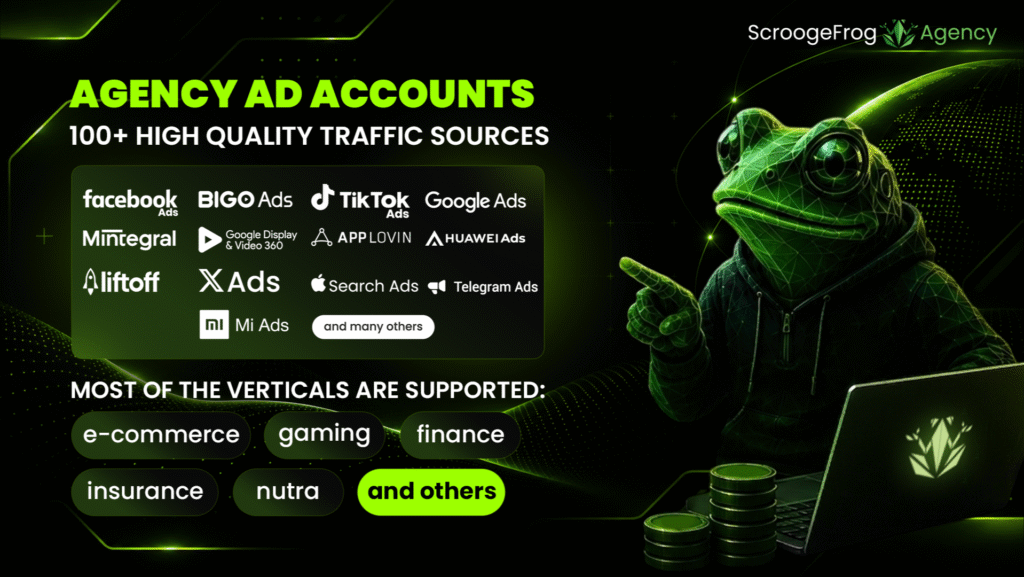
Scaling profitable campaigns often hits a wall when relying on standard self-serve accounts. Low daily spending limits, endless ID verification loops, and sudden policy holds can halt media buying operations in an instant. ScroogeFrog eliminates these bottlenecks by offering access to high-trust agency ad accounts across more than 100 global ad networks. Media buyers can source fully verified ad infrastructure tailored to virtually any vertical, including E-commerce, Gaming, Finance, Insurance, Nutra, and beyond.

To cover every performance marketing need, ScroogeFrog provides direct access across distinct traffic categories:

  • Social Media & Search: Full infrastructure for Facebook Ads, TikTok Ads, X Ads, Telegram Ads, Google Ads, and Apple Search Ads for precise audience targeting.
  • In-App & Mobile Networks: Extensive reach across leading mobile inventory providers, including Mintegral, AppLovin, Liftoff, BIGO Ads, Huawei Ads, and Mi Ads.
  • Native Advertising: Premium content recommendation platforms and programmatic native DSPs, partnering with ecosystems like Outbrain, Mondiad, and NewsBreak.
  • Push Ads: Dedicated push notification and engagement networks equipped with advanced delivery algorithms, including RollerAds, Clickadu, Pushub, and ActiveRevenue.

Workflows are built around stability and human communication rather than automated dashboards. No Artificial Limits means teams can launch and scale budgets right from day one without standard self-serve spending caps. Streamlined Pre-Moderation ensures all campaign setups and account requests pass through dedicated managers before launching, drastically cutting down on policy holds. Finally, Single-Point Infrastructure lets buyers run traffic across 100+ networks without registering and verifying separate advertiser accounts everywhere.

To explore available ad platform options and scale your campaigns securely, check out ScroogeFrog Agency.

2. Proprietary AI Antifraud: Built by AdTech Veterans, Not ChatGPT Wrappers

Acquiring resilient ad accounts solves campaign execution, but protecting traffic quality ensures actual profitability. Having operated in the AdTech ecosystem for a decade and a half, the ScroogeFrog team built their own self-service AI Antifraud engine from scratch, avoiding generic wrappers around standard models like ChatGPT or Gemini.

Traditional anti-fraud filters usually evaluate basic metrics like IP addresses or GEO data in isolation, making them easy for advanced bot scripts to bypass. ScroogeFrog AI Antifraud analyzes over 60 parameters simultaneously to construct a multidimensional behavioral user profile. This holistic approach delivers high accuracy in detecting complex bot patterns while drastically reducing the risk of blocking real, converting users.

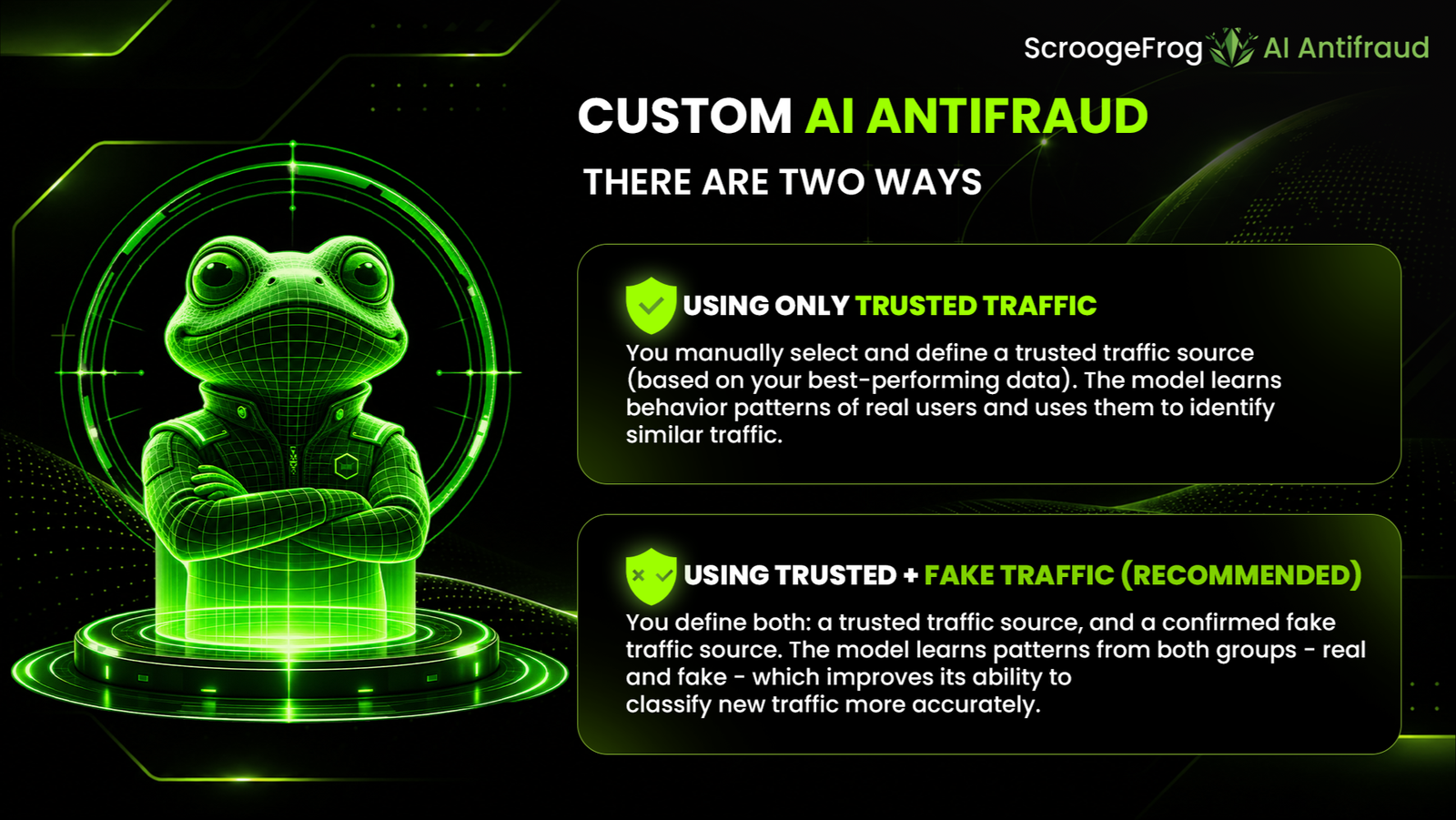
Advanced Custom AI Models

For teams requiring tailored protection, ScroogeFrog enables custom machine-learning model training directly on client data:

  • Conversion-Based Model Training: Marketers can train custom algorithms on samples of their real converting traffic to isolate high-value user patterns.
  • Hybrid Model Training: Models can be trained on both trusted customer data and identified fake sources, allowing the AI to recognize converting users and bot patterns on sight.

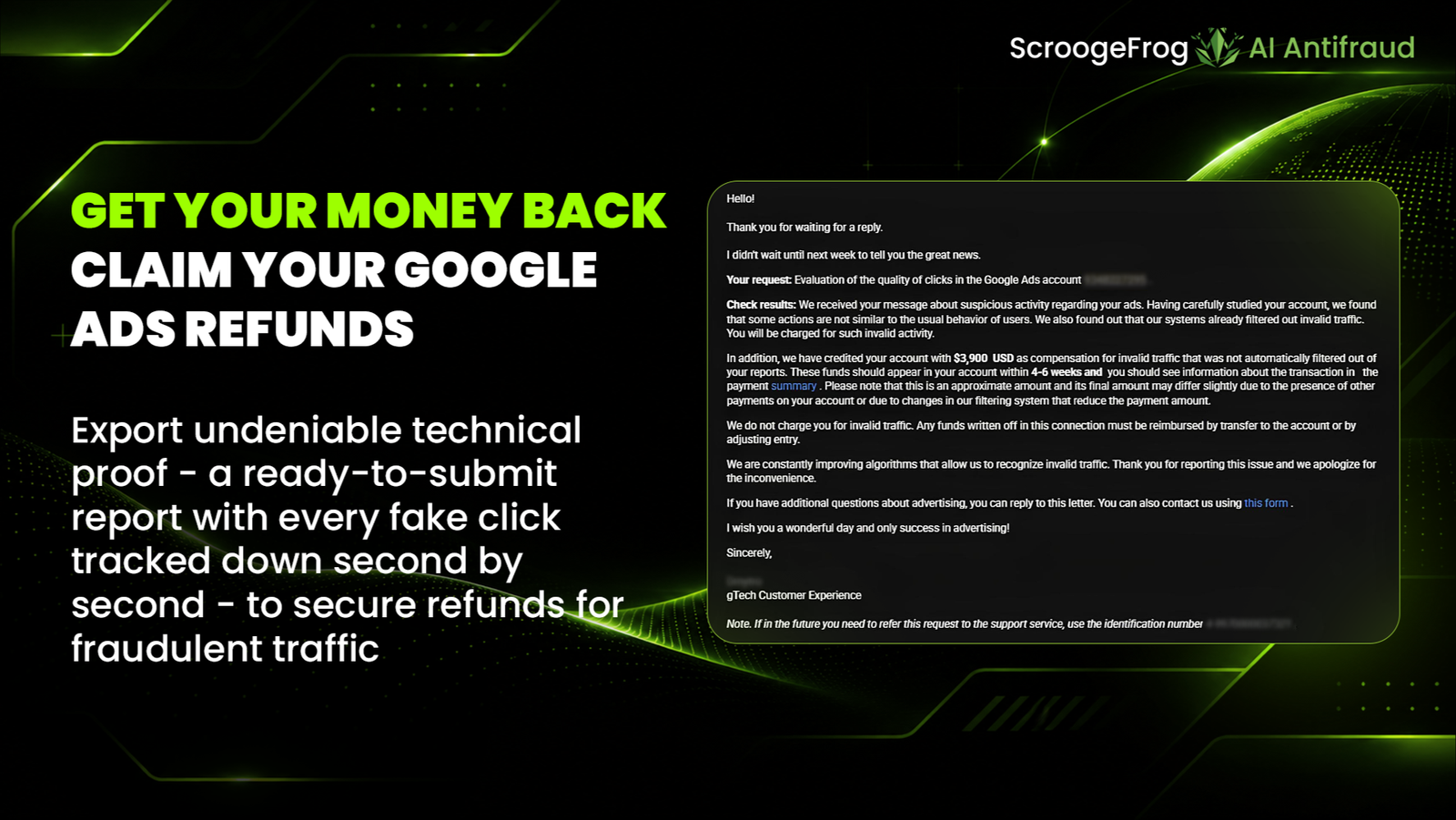
Built-in Feature: Google Ads Refund Reports

Detecting invalid traffic is only the first step – recovering wasted budget is where marketers reclaim actual ROI. As a key component of the anti-fraud platform, ScroogeFrog includes a specialized module designed specifically for budget recovery in Google Ads.

Their engineering team personally researched Google’s strict compliance criteria to build an automated reporting framework. The system generates structured, data-backed reports formatted to meet Google’s exact submission standards, equipping media buyers to claim back money spent on invalid traffic directly within their Google Ads accounts.

To secure your campaign traffic and protect your margins directly, get started with ScroogeFrog AI.

Conclusion: Take Total Control of Your Ad Spend

Unstable ad accounts and traffic leaked to bots are huge hidden expenses for any media buying team. By pairing resilient agency infrastructure with custom behavioral AI protection, ScroogeFrog gives performance marketers total control over their ad spend and room to scale safely.

How to Choose a GEO for an Ad Campaign and Check Whether Your Website Is Ready for Local Traffic

Launching an ad campaign in a new country is about more than translating an ad and its landing page. Users may have different payment preferences, address and date formats, interface expectations, and even different versions of a website that open when they click through. If these details are overlooked, a campaign may bring visitors to a page that is technically accessible but inconvenient or confusing for the local audience.

That is why GEO selection should be based on more than market size. Define the campaign’s target audience in advance, prepare the page for the region, and check how it appears to a visitor from the target country.

Where to Start When Choosing a GEO

The first step is to define the campaign’s goal. For one product, audience size may be the priority; for another, it may be purchasing power, competition, or the ability to serve customers in a particular country. Assess demand, advertising restrictions, acquisition costs, and your team’s resources: can you maintain a localized version of the website and respond to inquiries in the appropriate language?

Next, check exactly what users will see. Geography can affect the page language, currency, available products, delivery terms, contact details, and promotional offers. These elements should be consistent across the ad and landing page: visitors should reach the version that matches the promise made in the ad.

Why Translation Alone Is Not Enough

Even a well-translated text does not guarantee that a page is ready for local traffic. Countries may use different date, phone number, address, and price formats. Payment methods, return policies, legal wording, and expectations for forms may also vary. It is just as important to check that no elements remain in the original language—for example, button labels, error messages, or footer text.

Another risk is location-based display. A website may automatically select a language or currency based on IP, show a regional version, or redirect visitors to another URL. That is why you need to check not only the page content but also how it behaves when accessed from the target region.

For preparing a white page for a selected audience, you can use White Link. Even so, the finished page should be tested under conditions close to an actual visit.

How to Check Your Website Before Launch

Create a short checklist and go through it for each priority GEO:

  • Does the correct page version open, without unexpected redirects?
  • Are the language, currency, prices, and regional terms displayed correctly?
  • Do forms, buttons, links, and post-submission pages work?
  • Is the page easy to use on a mobile device?
  • Do the ad’s promises match the landing page content?

Testing with an IP from the Target Region

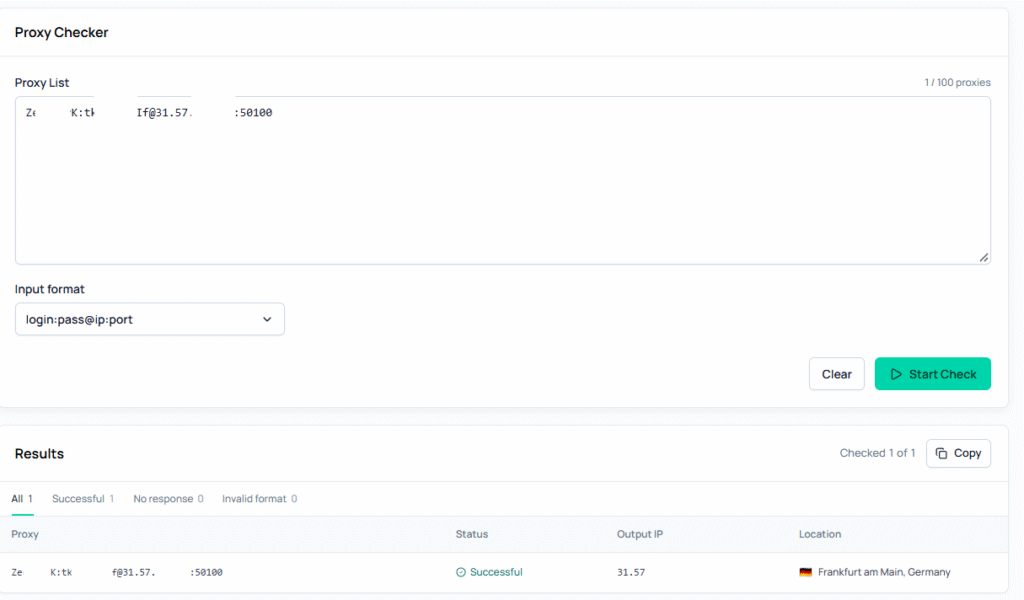
You can use a proxy with the required geolocation for this check. For example, with Node Proxy, you can select a GEO and open the page through an IP address from the target region. This helps you see which version of the website a visitor receives through that connection. A proxy alone cannot guarantee a perfect match with a real user’s experience: cookies, browser settings, and other signals may affect what is displayed.

After connecting, check the IP’s actual geolocation and compare it with the selected region. For an initial diagnosis, you can use the Node Proxy proxy checker. If different services show different results, do not rely on just one: geolocation databases may update at different rates.

For more on why IP geolocation can vary between services, read Node Proxy’s article, “How to Check a Proxy’s Geolocation and Why It Matters”.

Before Launch: The Final Check

Do not stop after viewing the page once. Test several scenarios: a new visitor, a return visit, a visit from a mobile device, and form submission. If the website automatically selects a language or region, repeat the test after clearing cookies. Record the results for each GEO so your team can reproduce an issue and verify the fix quickly.

Choosing a GEO is not just a decision about where to buy traffic. It also means checking that the website meets the expectations of the audience in that country. The sooner your team tests the page from the target region, the more likely it is to find mismatches before the campaign launches, rather than after the first clicks.