How to Choose a GEO for an Ad Campaign and Check Whether Your Website Is Ready for Local Traffic

Launching an ad campaign in a new country is about more than translating an ad and its landing page. Users may have different payment preferences, address and date formats, interface expectations, and even different versions of a website that open when they click through. If these details are overlooked, a campaign may bring visitors to a page that is technically accessible but inconvenient or confusing for the local audience.
That is why GEO selection should be based on more than market size. Define the campaign’s target audience in advance, prepare the page for the region, and check how it appears to a visitor from the target country.
Where to Start When Choosing a GEO
The first step is to define the campaign’s goal. For one product, audience size may be the priority; for another, it may be purchasing power, competition, or the ability to serve customers in a particular country. Assess demand, advertising restrictions, acquisition costs, and your team’s resources: can you maintain a localized version of the website and respond to inquiries in the appropriate language?
Next, check exactly what users will see. Geography can affect the page language, currency, available products, delivery terms, contact details, and promotional offers. These elements should be consistent across the ad and landing page: visitors should reach the version that matches the promise made in the ad.
Why Translation Alone Is Not Enough
Even a well-translated text does not guarantee that a page is ready for local traffic. Countries may use different date, phone number, address, and price formats. Payment methods, return policies, legal wording, and expectations for forms may also vary. It is just as important to check that no elements remain in the original language—for example, button labels, error messages, or footer text.
Another risk is location-based display. A website may automatically select a language or currency based on IP, show a regional version, or redirect visitors to another URL. That is why you need to check not only the page content but also how it behaves when accessed from the target region.
For preparing a white page for a selected audience, you can use White Link. Even so, the finished page should be tested under conditions close to an actual visit.
How to Check Your Website Before Launch
Create a short checklist and go through it for each priority GEO:
- Does the correct page version open, without unexpected redirects?
- Are the language, currency, prices, and regional terms displayed correctly?
- Do forms, buttons, links, and post-submission pages work?
- Is the page easy to use on a mobile device?
- Do the ad’s promises match the landing page content?
Testing with an IP from the Target Region
You can use a proxy with the required geolocation for this check. For example, with Node Proxy, you can select a GEO and open the page through an IP address from the target region. This helps you see which version of the website a visitor receives through that connection. A proxy alone cannot guarantee a perfect match with a real user’s experience: cookies, browser settings, and other signals may affect what is displayed.
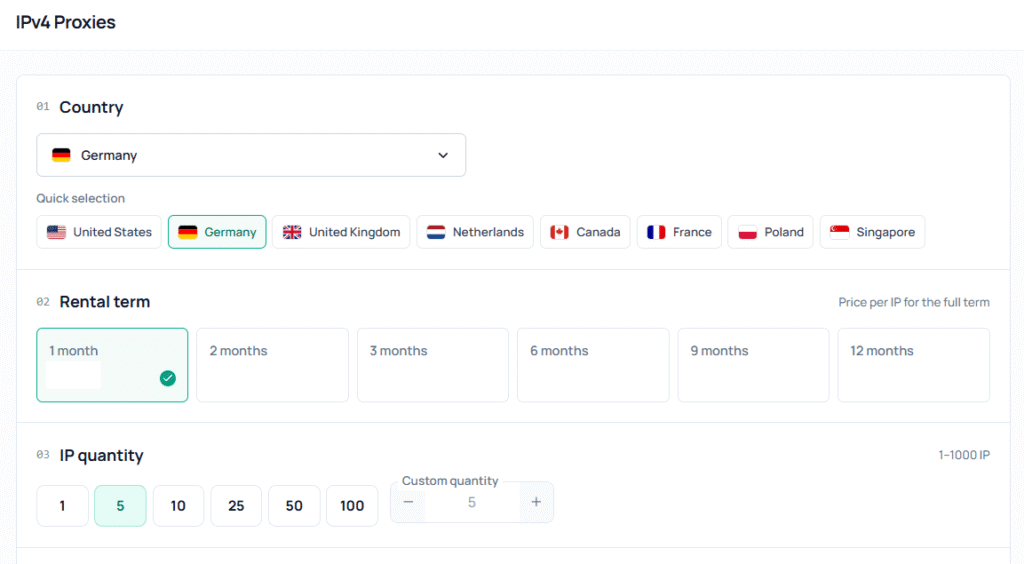
After connecting, check the IP’s actual geolocation and compare it with the selected region. For an initial diagnosis, you can use the Node Proxy proxy checker. If different services show different results, do not rely on just one: geolocation databases may update at different rates.
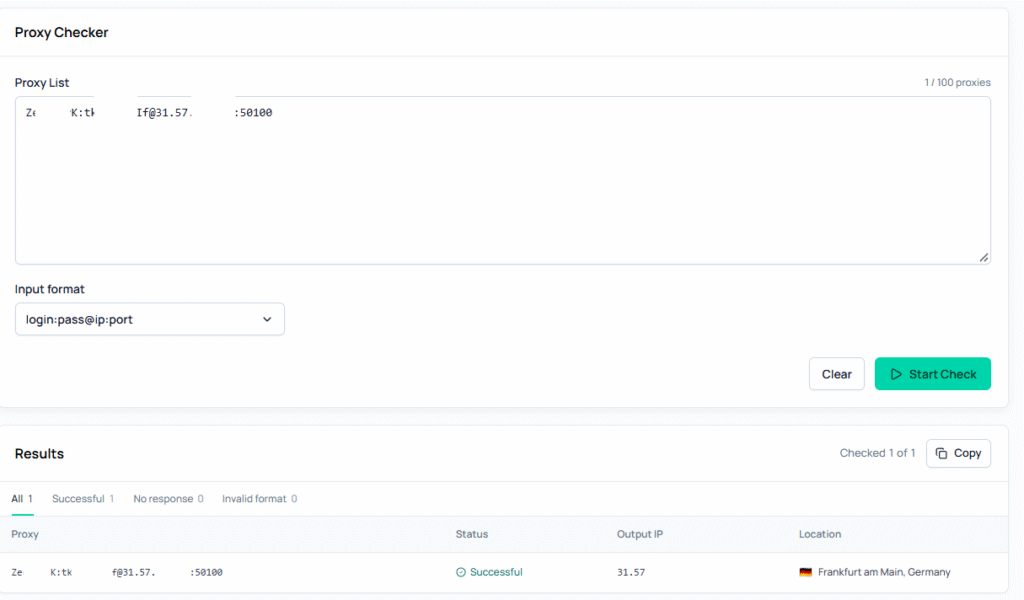
For more on why IP geolocation can vary between services, read Node Proxy’s article, “How to Check a Proxy’s Geolocation and Why It Matters”.
Before Launch: The Final Check
Do not stop after viewing the page once. Test several scenarios: a new visitor, a return visit, a visit from a mobile device, and form submission. If the website automatically selects a language or region, repeat the test after clearing cookies. Record the results for each GEO so your team can reproduce an issue and verify the fix quickly.
Choosing a GEO is not just a decision about where to buy traffic. It also means checking that the website meets the expectations of the audience in that country. The sooner your team tests the page from the target region, the more likely it is to find mismatches before the campaign launches, rather than after the first clicks.