EpicPWA: Professional PWA Solution for Affiliates

After Google Play moderation tightened in 2023, affiliate professionals massively switched to PWA applications. Today, in 2026, the situation with native app bans hasn’t changed, and Progressive Web Apps remain the primary tool for working with gray verticals. Against this backdrop, EpicPWA offers a comprehensive solution for creating and managing PWAs without technical skills.

A Complete Platform for Affiliates

EpicPWA isn’t just an app builder. The service is a ready-made ecosystem for launching and scaling campaigns, primarily in the iGaming vertical. The platform includes a visual builder with 85+ templates, cloaking integration, domain management tools, push notifications with segmentation, detailed analytics, and S2S postbacks for integration with Facebook, Google, and TikTok.

Registration requires no approvals or waiting—access to your personal dashboard opens immediately. Each user is assigned a personal manager who helps resolve technical issues within an hour. This is an important competitive advantage, especially for newcomers to PWA marketing.

Quick Launch Through Ready-Made Templates
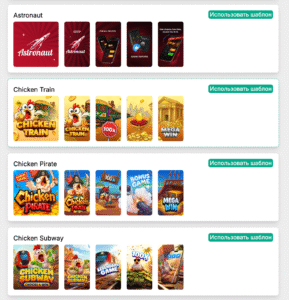
The platform’s library contains 90+ ready-made templates for popular slots and crash games: from classic “777 Big Win Casino” to themed solutions like “Lion Safari” or “Ice Fishing”. All templates closely resemble everyone’s favorite games and instantly inspire user trust. But if standard options don’t fit, you can upload your own design.

Installation page customization allows you to imitate official store interfaces: all variables are fully customizable, from descriptions to user reviews. These elements increase trust and positively impact installation rates.

Built-in Cloaking and Tracking

Internal integration with Cloaking.House makes affiliates’ work even easier. Filtering is configured by GEO, redirects and white pages are managed from a single interface. The tracker integrates with major analytics systems—from popular platforms to custom solutions.

S2S postbacks ensure conversion data transfer between EpicPWA, trackers, and affiliate programs without data loss. Statistics are available in a unified dashboard with filtering by timeframes, GEO, macros, and individual applications. Detailed analytics include data on installs, events, and conversions.

Push Notifications with Smart Segmentation

The push system isn’t just a checkbox feature. Deep audience segmentation is available: you can send notifications only to users who clicked on creatives, installed the app, or made a deposit. Filtering works by country, domain, and specific applications. This approach turns the push channel into a full-fledged part of the sales funnel, not just a spam source.

Team Mode and Access Management

For media buying teams, a role and access system is implemented. You can distribute permissions among participants, control budgets, and track individual buyer performance. Team mode is available on paid plans.

Transparent Pricing Model
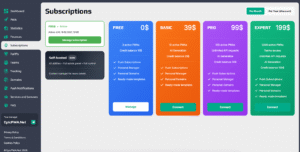
EpicPWA offers a free tier with the ability to create 3 applications. The free version includes all core features: app creation, push notifications, domain parking, and a personal manager. Limitations only apply to team mode, API, and AI generation.

The paid model is two-tiered: a subscription plan for platform usage plus payment per install. Installation cost depends on geography—from $0.01 in Tier-3 countries (India, Pakistan, Brazil) to $0.06 in Israel. Payment for installs is charged after the fact. The higher the subscription, the lower the installation cost.

Four subscription plans are available with different limits on the number of apps and additional features. Balance top-up is possible through USDT or the Capitalist payment system with a minimum amount of $50.

Knowledge Base and Educational Materials

An important advantage of EpicPWA is its developed educational base. The platform offers an extensive blog with guides and articles on working with PWA applications in affiliate marketing. Materials cover technical setup aspects, campaign launch strategies, conversion optimization, and working with different geos.

The knowledge base includes step-by-step instructions for integrating with trackers, configuring postbacks, creating effective push campaigns, and working with different GEOs. This is especially valuable for affiliates who are just starting to work with PWAs or transitioning from other platforms.

The FAQ is structured by thematic blocks: from registration and creating your first app to advanced features and teamwork. Most questions can be resolved independently using the available documentation.

Referral Program

The platform offers a referral program with lifetime revenue share up to 50%. Earnings are generated from the activity of referred users, which can become an additional income source for affiliates with developed contact networks.

Who Is EpicPWA Suitable For

The platform is optimally suited for affiliates working with iGaming verticals, betting, nutra, and dating. The service shows the highest efficiency in the Facebook + PWA combination, where it demonstrates high conversion rates.

EpicPWA is suitable for both beginners who need to quickly launch their first campaigns without technical complications, and experienced affiliates and teams who value scalability, detailed analytics, and team tools.

Conclusion

EpicPWA represents a ready-made ecosystem for working with PWA applications in affiliate marketing. The platform unites all necessary tools under one roof: from builder and cloaking to analytics and push notifications. Free access provides an opportunity to test functionality and evaluate effectiveness in real campaigns.

For those working with gambling and other gray verticals and looking for a stable solution for creating PWAs without technical barriers, EpicPWA deserves attention.
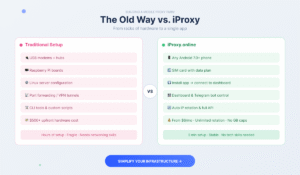
Building a Mobile Proxy Farm with iProxy.online

What Is a Mobile Proxy Farm?

A mobile proxy farm is a network of smartphones equipped with SIM cards, each functioning as an independent proxy node with its own 3G, 4G, or 5G IP address. These IPs originate from real carrier networks, which is why platforms like Facebook, TikTok, or Google treat them as legitimate user traffic rather than datacenter noise.


For affiliate marketers, data analysts, and anyone managing accounts at scale, this distinction matters. Carrier IPs carry trust signals that residential and datacenter proxies can’t replicate, and mobile farms let you control that infrastructure directly.


Traditionally, building one meant USB modems, Raspberry Pi boards, or dedicated remote servers. That setup was expensive, fragile, and required real networking knowledge to maintain.

How iProxy.online Changes the Setup

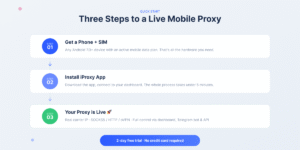
iProxy.online replaces all of that with a single Android app. Any smartphone running Android 7.0 or higher becomes a fully operational proxy node in under five minutes. No command-line tools. No server configuration.


Install the iProxy app, insert a SIM card, connect the device to your dashboard, and you have a live mobile proxy with a real IP address tied to a physical SIM in a real network. The proxy runs on your device, routes through your carrier, and never passes through any third-party server.


From the dashboard or Telegram bot, you control everything: IP rotation intervals, session length, port configuration, protocol selection (SOCKS5, HTTP, oVPN, UDP), and traffic monitoring. The API covers automation needs for larger operations.

What It Actually Offers

The platform is built around a few things that matter in production environments:

Multiple proxy ports per device. One phone can serve several independent access points simultaneously.

Passive OS fingerprinting control, including TCP/IP stack spoofing for environments where device-level detection is a factor.

Full traffic visibility: usage stats, uptime tracking, active session data.

Custom DNS configuration and API integration for automated proxy creation, rotation, and monitoring.

No bandwidth caps within plan tiers. It works out of the box with Octo Browser, Dolphin{anty}, AdsPower, Multilogin, GenLogin, and similar antidetect tools. One thing worth stating plainly: iProxy doesn’t provide mobile data. You supply the SIM cards and data plans. The platform handles the proxy layer on top of your own connectivity.

Getting Started: What You Need

The hardware requirements are minimal. Android phones running 7.0 or higher, ideally with stable 4G or 5G signal. Active SIM cards with mobile data. A power source if you’re running devices continuously.


Subscriptions are per device, billed every 30 days:


  • Baby: $6/month
  • BigDaddy: $8/month
  • BigDaddy Pro: $10/month


A 2-day free trial activates automatically when you create your first proxy. No credit card required. Setup takes a few minutes per device. Once connected, each phone becomes a standalone proxy endpoint, independent and visible only to you.

Monetization and Proxy Farming

Running proxy farms as a revenue source is a common use case, and iProxy includes the tools for it. Devices can be sold through iProxy’s internal vendor marketplace or managed independently. Active resellers typically earn $20-50 per device per month, depending on location and network quality. Urban locations with strong signal and high-demand carrier IPs tend to perform better.


The platform supports:

  • Direct reselling under your own brand, with white-label options and wholesale discounts up to 30%
  • API-driven proxy creation and rotation for full client access automation
  • Multiple ports per device, allowing tiered pricing across different access levels
  • Built-in dispute resolution and buyer protection for marketplace sellers


Devices can run from homes, offices, or cars, anywhere with a stable mobile signal. There’s no minimum farm size; operators run anywhere from a handful of phones to hundreds.

Scaling and Operations

The dashboard and Telegram bot handle fleet management without requiring technical intervention for routine tasks. You can rotate IPs manually or on a schedule, monitor bandwidth and uptime, assign multiple users or ports to a single device, and push configuration changes via API. There’s no centralized infrastructure to manage. Each device runs autonomously. Adding capacity means adding a phone and a SIM; the architecture scales horizontally with almost no overhead.

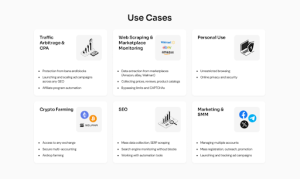
Use Cases

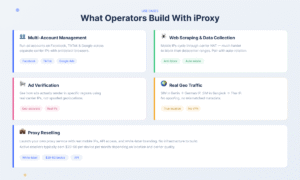
Multi-account management. Running advertising accounts on Facebook, TikTok, or Google across separate proxies, combined with antidetect browsers, reduces cross-account linkage and platform-side detection risk.


Web scraping and data collection. Mobile IPs cycle naturally through carrier NAT, making them significantly harder to block than datacenter ranges. Pair with automatic IP rotation for continuous scraping on rate-limited targets.


Ad verification. Test how ads render in specific regions using IPs that actually belong to those carrier networks, not proxies that merely claim to be there.


Geo-restricted access. The proxy IP reflects the physical location of the SIM card. A phone in Berlin proxies through a German carrier IP; a phone in Bangkok through a Thai one. No spoofing, no mismatched metadata.


Proxy reselling. Launch a proxy service with real mobile IPs, API access, and your own branding, without building any infrastructure.


What iProxy Doesn’t Do

iOS is not supported. The platform is Android-only.

Devices must stay powered and connected to a mobile network to remain active. iProxy doesn’t host or manage the hardware; all proxies run on user-owned devices. If a phone loses signal or battery, that proxy goes offline until it recovers. There’s also no support for residential Wi-Fi IPs. Only cellular IPs via SIM cards.

The Team

iProxy.online is built by a small team of engineers with backgrounds in networking and infrastructure. Support is handled by people who understand the product technically and work through actual user problems rather than scripted responses. The Telegram community includes operators at various scales sharing setups and configurations.

Try It Free

Create your first proxy at iProxy.online. The 2-day trial activates automatically, no payment details required.

Clickaine Review (2026): Features, Traffic Quality, and How to Launch Campaigns

Clickaine Review (2026): Features, Traffic Quality, and How to Launch Campaigns

Clickaine is a self-serve advertising network focused on performance-driven traffic across global markets. The platform connects advertisers with over 1,000 publishing partners and claims access to more than 250 million desktop and mobile users daily.

In this review, we’ll cover:

  • Key platform features
  • Traffic formats and targeting options
  • Account setup process
  • Campaign creation workflow
  • Popunder setup specifics
  • Optimization tools
  • Pros and potential considerations


Overview: what is Clickaine?

Clickaine positions itself as a high-performance ad network designed for affiliates, media buyers, agencies, and brands looking to scale traffic efficiently.

The platform offers:

  • Global inventory coverage
  • Multiple ad formats
  • AI-assisted targeting
  • Smart bidding algorithms
  • Anti-fraud protection
  • Self-serve campaign management

Unlike managed-only networks, Clickaine allows advertisers to control everything directly from the dashboard.


Traffic Volume & Reach

Clickaine reports:

  • 250+ million daily users
  • 1,000+ publishing partners
  • Worldwide traffic distribution

Traffic is available across Tier 1, Tier 2, and Tier 3 GEOs, with detailed targeting controls by device, connection type, language, and more.


Ad formats available

Clickaine supports a broad range of formats, including:

  • Popunder Ads
  • Native Ads
  • Banner Ads
  • In-Stream Video
  • Video Slider
  • Skim Ads
  • Tab Ads
  • Direct Link
  • Push Notifications
  • Interstitial Ads
  • In-Page Notifications

This variety makes it suitable for verticals such as iGaming, dating, finance, utilities, sweepstakes, and adult traffic.


Key platform features

Self-Serve Dashboard

Campaigns can be launched without manager approval delays. Advertisers create, edit, and monitor campaigns independently.

Smart Bidding

The algorithm dynamically adjusts bids to compete for high-performing placements while maintaining cost efficiency.

AI-Based Targeting

Targeting can be refined by GEO, device, OS, browser version, connection type, carrier, and more.

Anti-Fraud System

Clickaine includes fraud detection tools to filter invalid traffic and protect advertisers from bots or low-quality sources.

Filters & Traffic Control

Advertisers can create:

  • Blacklists
  • Whitelists
  • IP filters
  • Domain filters

This makes granular optimization possible.


How to register as an advertiser

Getting started is straightforward:

  1. Visit clickaine.com
  2. Click “Sign Up”
  3. Select “I want to buy traffic”
  4. Enter email and password
  5. Verify email
  6. Log in and access the Campaigns tab

KYC verification is required to unlock full functionality, including balance top-ups.


Inside the Clickaine dashboard

The platform interface is organized into the following sections:

Campaigns

Launch new campaigns and monitor performance metrics such as impressions, clicks, and conversions.

Creatives

Upload and manage banners, videos, or direct URLs.

Retarget

Manage tracking pixels for retargeting campaigns.

Filters

Create blacklists and whitelists for traffic control.

Finance

Add funds and review transaction history.

Referrals

Earn 3% commission from referred advertisers or publishers.

API

Integration options for advanced users.

Support

Live chat and support ticket access.

How to Create a Campaign

The campaign creation process follows a structured workflow:

Step 1: Choose Ad Format

Select from Popunder, Push, Native, Video, Banner, etc.

Step 2: Configure General Settings

  • Campaign name
  • Site type
  • Categories (Adult or Mainstream)
  • CPM bid
  • Budget caps

Step 3: Set Targeting

  • GEO (country, region, city)
  • Device type (mobile, desktop, tablet, etc.)
  • OS and browser
  • Connection type
  • Carrier targeting

Step 4: Scheduling

Choose specific weekdays and hourly time blocks or run 24/7.

Step 5: Add Creatives

Upload ad material or paste direct landing URLs.

After review and funding, the campaign can be launched.

Popunder campaign setup: detailed breakdown

Popunder is one of Clickaine’s most popular formats due to its volume and cost efficiency.

Key setup options include:

  • Site category inclusion/exclusion
  • Valid traffic source filter
  • Proxy traffic toggle
  • Smart Bidding
  • Slow delivery option
  • Frequency caps
  • Automatic optimization
  • Publisher-level filtering

Advanced advertisers can enable automatic blacklist creation based on performance thresholds such as conversions or eCPA.


Optimization capabilities

Clickaine supports:

  • Hourly and weekday scheduling
  • Source-level optimization
  • Automated blacklisting
  • Bid adjustments
  • Smart Bidding logic
  • Retargeting

The platform also allows real-time performance monitoring, which is important for fast decision-making in performance marketing.


Minimum deposit & entry barrier

Clickaine offers a relatively low entry threshold compared to many networks. This makes it accessible for:

  • New affiliates testing traffic
  • Small-budget campaigns
  • Scaling experiments
  • Minimum deposit is $20


Who is Clickaine best for?

Clickaine may be suitable for:

  • Affiliate marketers
  • Performance media buyers
  • Agencies running multi-GEO campaigns
  • Advertisers in adult and mainstream verticals
  • Buyers who prefer self-serve control


Pros

✔ Wide range of ad formats
✔ Global traffic coverage
✔ Granular targeting options
✔ Real-time reporting
✔ Smart bidding algorithm
✔ Anti-fraud filtering
✔ Flexible optimization tools


Considerations

  • Like any self-serve platform, performance depends heavily on optimization skill
    • Requires proper tracking setup for best results
    • Automated tools should be configured carefully


Final verdict

Clickaine is a flexible, performance-focused advertising network that offers substantial traffic volume, multiple formats, and advanced targeting capabilities.

For advertisers who want detailed control over campaign structure, scheduling, filtering, and bidding — without relying entirely on account managers — the platform provides strong functionality.

As with any network, success depends on strategy, testing, and optimization discipline. But with the available tools and traffic diversity, Clickaine presents a solid option for both testing and scaling campaigns globally.


Why It Is Important to Use High-Quality Residential Proxies in Traffic Arbitrage

Traffic arbitrage has long moved beyond the stage of chaotic experiments. Today, it is a highly competitive environment where details matter: speed, stability, and anonymity. One of the key tools in this ecosystem is high-quality residential proxies, without which scaling and stable profit become almost impossible.

What Are Residential Proxies and How Do They Differ

How Residential Proxies Work

Residential proxies are IP addresses of real users provided by internet service providers. For advertising platforms, such traffic looks as natural as possible because requests come from ordinary home connections rather than data centers.

Differences from Datacenter Proxies

Datacenter proxies:

  • get blocked faster;
  • are often blacklisted;
  • are easily detected by anti-fraud systems.

Residential proxies:

  • have a higher trust level;
  • are harder to detect;
  • allow longer work without bans.

The Role of Residential Proxies in Traffic Arbitrage

Scaling Advertising Accounts

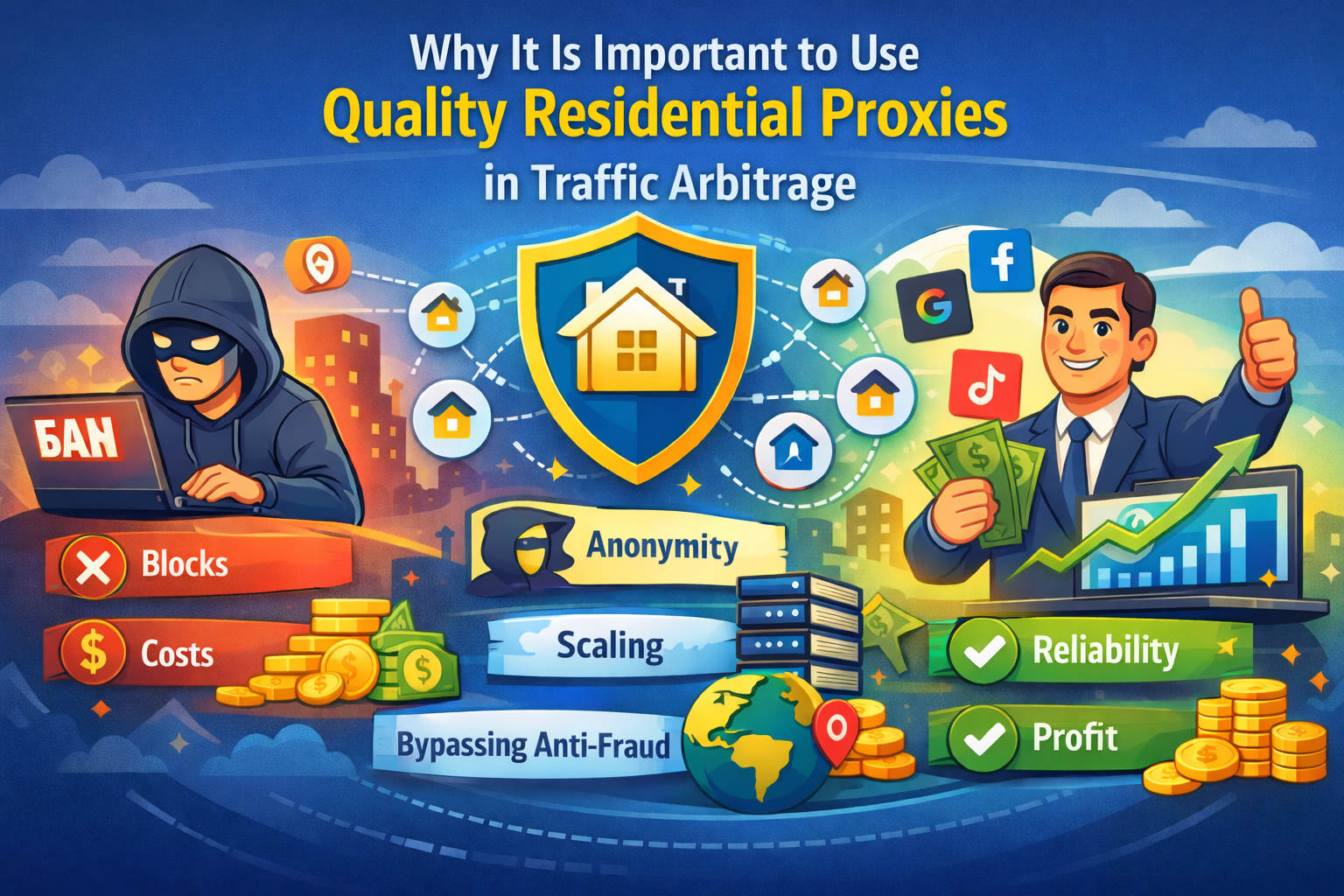
When working with Facebook*, Google Ads, or TikTok, it is almost impossible to safely run dozens of accounts without proxies. Residential IPs allow you to:

  • create and warm up accounts;
  • manage farming processes;
  • reduce the risk of mass bans.

Bypassing Anti-Fraud and Geo Restrictions

High-quality proxies help emulate the required country, city, and even connection type. This is critical for:

  • testing offers for different GEOs;
  • working with local landing pages;
  • reviewing creatives from a real user’s perspective.

What Happens When Using Cheap or Low-Quality Proxies

Loss of Budget and Time

Using free or overloaded proxies often leads to:

  • instant bans;
  • rejected ad campaigns;
  • loss of farmed accounts.

💡 
A traffic arbitrageur without proxies is like a driver without a license: you can drive, but not for long.

Decreased Trust from Platforms

Advertising systems analyze behavior patterns. Suspicious IPs quickly raise red flags, causing even strong setups to stop working.

How to Choose High-Quality Residential Proxies

Key Selection Criteria

Geography and IP Pool
The larger the pool, the lower the chance of IP repetition.
Speed and Stability
Ping and uptime directly affect ad launches and moderation.
Provider Reputation
It is better to choose services with transparent policies and support, such as:
https://proxy.luxe

💡 
Good proxies are not an expense — they are an investment in uptime.

Practical Use Cases in Traffic Arbitrage

Multi-Accounting
Residential proxies combined with anti-detect browsers create the most realistic environment possible.
Testing Campaign Setups
You can safely run A/B tests for different regions without risking bans.

💡 
One proxy — one account — one story.

Conclusion

There are no small details in traffic arbitrage. High-quality residential proxies are the foundation of stability, scalability, and profit. Saving on this tool almost always leads to losses, while the right choice provides a competitive advantage and confidence in every launch.
If the goal is long-term and systematic work, residential proxies are simply indispensable today.

The structure of the ideal White Page: a practical guide for affiliates

A White Page is not just a “white space” between an ad and an offer. It is a full-fledged showcase for your project, on which the moderation process, account lifetime, and link stability directly depend. A mistake many beginners make is to create a white page just for the sake of it. In reality, a good white page is a tool that saves money and time.

Let’s take a look at the structure of an ideal white page that really works.

1. The main idea of a white page

Before talking about blocks, it is important to understand the purpose.

A white page should look like an independent, useful resource:

  • an informational website;
  • a blog;
  • a service;
  • a news page;
  • a thematic portal.

It should not give the impression that it was created “for advertising.” The moderator should see a normal website for people.

The main rule: no pressure to sell.

2. Header: first impression

The top of the page builds trust in the first 3-5 seconds.

What should be there:

  • logo or project name;
  • simple menu (Home, About, Blog, Contacts);
  • clean design without overload;
  • HTTPS, favicon, normal font.

The name should be neutral. No words like buy, best price, miracle, heal, etc.

If it’s a blog, add sections by category. If it’s a service, add a brief description of its functionality.

The purpose of the header is to show that this is a live website, not a one-page offer.

3. Hero block: explaining where the user has landed

The first screen should answer the question: what is this website about?

The following work well:

  • a headline in the style of “We help people understand…”;
  • a subheading describing the topic;
  • a thematic image or illustration;
  • a non-aggressive button: “Learn more,” “Explore,” “Read articles.”

No CTAs such as Order now, Get discount, Buy today.

Only gentle engagement.

4. Main content: the heart of the white page

This is the most important part.

The content should be:

  • unique;
  • readable;
  • logically structured;
  • relevant to the topic of the offer.

The format depends on the vertical, but the universal scheme is as follows:

Information blocks

2–4 sections with subheadings:

  • description of the problem;
  • overview of the topic;
  • facts, research, statistics;
  • tips or recommendations.

Text

Minimum 1500–2000 characters of pure text. No “fish.” Less is more, but stay on topic.

Visuals

Images, icons, sometimes tables. Stock photos are acceptable, but without overtly promotional scenes.

Internal logic

The text should look like an article or guide, not like preparation for a sale.

5. Trust block

One of the most underrated elements.

What you can add:

  • About Us;
  • project mission;
  • brief history;
  • photo of the “team” (even stock);
  • mention of experts or authors.

If possible, a separate page for the author of the article. This greatly increases trust.

6. Legal pages are mandatory

Minimum set:

  • Privacy Policy;
  • Terms of Service;
  • Contact Us.

Contact details must be real in format:

email, feedback form, sometimes address.

This is not just a formality — many rejections are due to the absence of these pages.

7. Footer: completing th


e picture

In the footer, we duplicate:

  • menu; 
  • links to policies;
  • copyright;
  • project name.

The footer should look like a normal website, not an empty strip.


8. Technical issues that are often overlooked

Even perfect content won’t save you if:

  • the website takes 5 seconds to load;
  • there is no mobile adaptation;
  • broken links;
  • the fonts are crooked;
  • there is no SSL.

A white page must be fast and accurate. Moderators see this.

9. Common mistakes

The things that kill a white page the fastest:

  • template texts;
  • direct mention of the product;
  • buttons with sales;
  • content that is too short;
  • identical white pages for different offers;
  • lack of structure.

A white page is not a placeholder. It is the face of your advertising.

Conclusion

The ideal white page is an independent project, not a technical placeholder. It should look like a real resource, be useful, and inspire trust.

If you approach the creation of a landing page as a normal website, rather than as a consumable, your approvals will grow, your accounts will live longer, and your links will become more stable.

There are no small details in arbitrage. Especially at the white page stage.

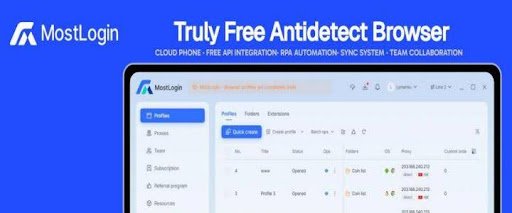
MostLogin:A Free Anti-association Fingerprint Browser and Cloud Phone Solution for Multi-account Management

In today’s digital era, multi-account management and anti-association tools have become essential tools for professionals across various industries. Particularly for those involved in cross-border e-commerce, social media marketing, or advertising, efficiently and securely managing multiple accounts without triggering platform association risks is a common challenge.

MostLogin, as a leading free anti-detection browser, helps users tackle these challenges with its powerful virtual identity isolation technology and multi-instance cloud phone capabilities. Whether for individual users or large teams, MostLogin offers zero-cost solutions, making account management simple and reliable. Visit the official website mostlogin.com to easily download and experience this multi-account management browser compatible with Windows and macOS systems.


Pricing Policy: Free Browser, Affordable Cloud Phones

The biggest attraction of MostLogin is its free policy. The anti-detection browser environment is completely free, allowing users to enjoy core features—including multi-tab browsing, account anti-association, API interfaces, RPA automation, and team control systems—without any cost. Only the cloud phone features require payment, priced below industry standards. This has enabled MostLogin to rapidly emerge as a top choice for individual users and enterprise teams in the 2025 anti-detection browser market. Compared to other paid tools, it delivers efficient, secure, and cost-free experiences, helping users gain a competitive edge.


MostLogin’s core advantage: Independent Environments and Anti-Detection Mechanisms


The core of MostLogin lies in its advanced virtual identity isolation technology, which creates independent browser environments for each account. This means that each browser profile has a unique browser fingerprints, local storage, cookies, and cache, ensuring that the platform cannot associate multiple accounts together to identify them as the same user device.This independent identity container design allows users to operate multiple accounts as if they were using entirely different devices, avoiding the common risk of account suspension.


In addition, MostLogin supports flexible multi-IP strategy configurations, including HTTP and SOCKS5 proxies. Users can easily pair static or residential IPs to simulate login environments from different countries and regions. This is particularly useful for those requiring global IP resources, such as cross-border e-commerce account management or international social media marketing. By integrating high-quality residential IPs from over 200 countries worldwide, MostLogin helps users bypass geographical restrictions and achieve true multi-region operations.


In terms of team collaboration, MostLogin’s cross-device synchronization feature allows members to share browser profiles and synchronize operations under permission controls. This significantly enhances team efficiency, making it suitable for employee management and group control systems in large enterprises. Whether for remote collaboration or real-time monitoring, everything can be achieved seamlessly without worrying about data leaks.


Technical Highlights: Dynamic Fingerprint Spoofing and Automation Support


Dynamic Fingerprint Spoofing Functionality


Intelligently adjusts Canvas fingerprints, WebGL fingerprints, audio context properties, font and language settings, screen size, and hardware information. The randomization and customization of these parameters ensure each browser instance presents a unique “device fingerprint,” effectively countering platform tracking algorithms.


Multi-Kernel Technology

Supports creating various browser environments based on Chromium, Firefox, or even Android kernels. Each environment can be independently configured with proxies, language, time zone, fonts, and other characteristics, allowing users to switch flexibly based on their needs. For example, under the Android kernel, you can achieve APP anti-association multi-opening without requiring additional virtual machines or emulators. This makes MostLogin not just a web multi-opening browser but also integrates one-click multi-account functionality, perfectly suited for mobile operations.


Automation—MostLogin’s Strength

Offers a fully open API ecosystem that seamlessly integrates with frameworks like Selenium and Puppeteer. Through local APIs, users can execute large-scale tasks such as automated script control, RPA automation, or batch account operations. This is particularly efficient for scenarios like ad placement and verification or affiliate marketing, helping users save time and scale their operations.


In terms of security, MostLogin fully blocks potential information leak channels like WebRTC and DNS, and supports automatic cache and cookie cleanup. Combined with its anti-association ban mechanisms, users can operate confidently in high-risk environments without fearing platform restrictions.


Newly Launched Cloud Phone Technology: A Brand-new Application Scenario for Virtualized Devices


What is a Cloud Phone?

A cloud phone is a cloud-based mobile device. Simply put, it is not a physical smartphone but a complete phone system virtualized through cloud technology, which users access and use remotely via the internet.


The Core Features of Cloud Phones:

Runs in the Cloud: The mobile OS (typically Android) and applications are installed in a cloud virtual environment; all computing, memory, and storage are provided by servers.


Virtualized Android Device: The cloud phone virtualizes a real Android device in the cloud; users can operate it like a physical phone without owning one.


Remote Access: Users can access the cloud phone via a browser or client, enabling cross-region operations without physical devices.


Secure Isolated Environment: Each cloud phone operates in an independent environment where data, cache, and applications do not interfere with each other, ensuring data security and privacy protection.


What Scenarios are Cloud Phones Suitable for?

  1. Game Account Leveling

All-day Operation: The game can run 24 hours a day without concerns about network fluctuations or low battery.


Custom Script Support: You can freely configure scripts to perform tasks such as automated logins, task completion, check-ins, and more.


Batch Deployment: Gaming studios can deploy dozens or even hundreds of mobile phones at once, improving efficiency and scaling output.

Cloud phones are particularly important in the gaming industry as they can help them increase operational efficiency and scale without adding equipment or costs.


Game players or studios can achieve unlimited multi-account opening for mobile games through cloud phones. Each game account runs independently in a separate virtual device, and custom scripts can be used to implement automatic tasks, resource gathering, and level advancement. The batch control API provided by MostLogin makes it possible to manage a large number of game accounts in an intensive manner.

  1. Multi-Account Management for Cross-Border E-Commerce

In cross-border e-commerce, cloud phones primarily add value through multi-store management, account protection, and efficiency improvement. Each e-commerce platform has its own risk control system monitoring multi-account logins, same environments, IP addresses, etc., mainly to prevent duplicate registrations. Cloud phones offer solutions:


Bind Different IPs: Integrated with proxy services, each device can be independently configured with a dedicated IP to simulate real transnational operations.


Device Independence: Parameters like IMEI and Android version for each cloud phone are customizable, simulating real device environments and avoiding platform detection of “same-device logins.”


Convenient Remote Collaboration: Team members from different locations can remotely log into the same cloud platform to operate accounts, ideal for distributed teams.


  1. Operations of Social Media Matrix Account

In large-scale social media management, matrix marketing is essential. Marketers often handle dozens or even hundreds of accounts across platforms like TikTok, WhatsApp, Telegram, and Douyin—especially with the rise of short-form video content and private domain traffic. Cloud phones enable:


Multi-Opening and Anti-Association: Each cloud phone environment is isolated, preventing device ID conflicts and making it suitable for logging into multiple social accounts.


Batch Account Management: Manage multiple accounts directly via cloud phones without numerous physical devices—ensuring independent environments, ban prevention, and anti-association.


Automated Operations: Utilize auxiliary tools or scripts for bulk friend additions, mass messaging, content reposting, likes, and comments.


  1. Ad Campaign Testing

As more users access the internet via mobile devices, especially when seeking services, advertisers must consider mobile ad placements. Performance varies by region, particularly in ad ranking checks. Cloud phones allow:


ASO Optimization Monitoring: Simulate organic user search and download behaviors to influence keyword weighting and recommendation algorithms.


Regional Ranking Observation: Assign unique IPs to each ad account via cloud phones to monitor regional performance and optimize strategies promptly.


APP Compatibility and Function Testing: Configure multiple device models, OS versions, resolutions, etc., to test app performance across different environments.


5、Integration with RPA

For technical users, MostLogin’s fully open API interface enables deep integration with automation frameworks such as Selenium and Puppeteer, enabling the automation of complex business processes, such as automatic account registration, data extraction, and product listing, thereby freeing up human resources from repetitive tasks.


Conclusion: Choose MostLogin, Choose the Best Cloud Phone Solution for 2026

As platform risk controls tighten, multi-account management involves more than just “multi-opening”—it requires attention to device environment, IP address, security isolation, and automation.


Whether you need an anti-detection browser or a free cloud phone anti-association tool, MostLogin provides customized solutions.It combines free and powerful browser environment management with flexible and efficient cloud-based mobile device virtualization capabilities, creating a complete security operation space for users from local to cloud, from web pages to apps, and from individuals to teams. Whether it’s startups seeking zero-cost startup, or large enterprises requiring scalable team collaboration solutions, MostLogin can provide customized solutions that match their needs.


If you’re looking for a free anti-association browser, multi-account management tool, anti-detection browser, or multi-opening software integrated with cloud phones,MostLogin is definitely worth trying. Visit the official website mostlogin.com, download and install it, and discover how it simplifies your daily operations. Don’t hesitate—experience the convenience of MostLogin today!

Premium Proxy Services Explained: How QuantumProxies.io Powers Modern Web Scraping, Automation, and SEO

Introduction: Why Proxy Infrastructure Is the Backbone of Modern Web Automation

In today’s data-driven digital economy, access to reliable web data is no longer optional. From SEO analysis and SERP scraping to social media automation and market intelligence, businesses increasingly rely on proxy servers to collect, analyze, and act on information at scale.

Without proxies, modern automation simply does not work. Search engines, social platforms, and e-commerce websites actively limit requests from single IP addresses, apply geo-restrictions, and deploy advanced anti-bot systems. This is where professional proxy infrastructure becomes essential.

QuantumProxies.io was built to address exactly these challenges. As a premium proxy service provider, QuantumProxies delivers scalable, high-quality residential, mobile, datacenter, ISP, and IPv6 proxies designed for demanding automation, scraping, and SEO workflows.

In this guide, we will explore:

  • What proxy servers are and why they matter
  • The different proxy types and when to use them
  • QuantumProxies pricing and infrastructure
  • Real-world use cases across scraping, SEO, and automation

What Are Proxy Servers and Why They Matter

A proxy server acts as an intermediary between your application and the internet. Instead of sending requests directly from your own IP address, traffic is routed through a proxy IP, masking your identity and distributing requests across a large network.

This architecture enables:

  • High anonymity and IP rotation
  • Geo-targeting by country or city
  • Large-scale web scraping
  • Bypassing rate limits and soft blocks
  • Reliable automation across restricted platforms

Core Proxy Categories

Understanding proxy types is fundamental when selecting the right infrastructure.

Residential Proxies

Residential proxies use real IP addresses assigned by internet service providers to home users. They offer the highest trust level and the lowest block rate, making them ideal for:

  • Web scraping proxies
  • SERP scraping
  • Geo-targeting proxies
  • Brand and market intelligence

Datacenter Proxies

Datacenter proxies originate from cloud and hosting providers. They are extremely fast and affordable, suitable for:

  • Bulk scraping
  • Automation pipelines
  • High-frequency API workloads

Mobile Proxies

Mobile proxies route traffic through real 4G/LTE carrier IPs. They provide unmatched trust and are essential for:

  • Social media automation
  • App testing
  • Highly restricted platforms

ISP Proxies

ISP proxies combine the speed of datacenter proxies with the trust of residential networks. They are static, stable, and optimized for:

  • Account management
  • Long sessions
  • Low block rate automation

IPv6 Proxies

IPv6 proxies offer massive address pools at low cost, perfect for:

  • Large-scale crawling
  • Bulk data extraction
  • High concurrency environments

QuantumProxies Pricing & Proxy Types


Description: A clean pricing comparison table showing different proxy types and their main features.
Caption: “Flexible proxy pricing models for every automation and scraping workload.”
ALT text: “Proxy pricing comparison including residential, mobile, datacenter, ISP, and IPv6 proxies”

QuantumProxies.io offers a modular, pay-as-you-go pricing model designed to scale with your workload. Each proxy type is engineered for specific use cases, ensuring optimal performance and cost efficiency.

MOST POPULAR – Residential Basic

From $0.80 / GB

Residential Basic proxies provide access to over 80 million residential IPs, making them ideal for general scraping, SEO monitoring, and geo-restricted content access.

Key features:

  • Automatic IP rotation
  • City and country targeting
  • Unlimited concurrent connections
  • HTTPS and SOCKS5 support

Use cases:

  • SERP scraping
  • SEO rank tracking
  • Content indexing
  • Geo-targeted research

This plan represents one of the most competitive proxy pricing models in the residential market.

Residential Premium

From $2.50 / GB

Designed for demanding applications, Residential Premium offers enhanced stability and priority support.

Key features:

  • Premium residential IP pool
  • High reliability and low latency
  • Priority technical assistance
  • Advanced geo-targeting

Ideal for:

  • Enterprise scraping
  • Brand protection
  • High-frequency monitoring
  • Mission-critical automation

Datacenter Proxies

From $10 / day

Datacenter proxies provide ultra-fast connectivity and unlimited bandwidth.

Key features:

  • Dedicated IP addresses
  • Unlimited traffic
  • API access
  • 99.9% uptime guarantee

Perfect for:

  • Bulk crawling
  • Automation workflows
  • Testing environments
  • High-volume extraction

ISP Proxies

From $2.50 / IP

ISP proxies deliver static IP stability with datacenter-grade performance.

Key features:

  • Static residential-quality IPs
  • Low block rate
  • Multiple subnets
  • Dedicated support

Best suited for:

  • Social media automation
  • Account management
  • Long-session scraping
  • Botting frameworks

IPv6 Proxies

From $0.20 / GB

IPv6 proxies unlock a massive address pool with exceptional scalability.

Key features:

  • Huge IPv6 network
  • Unlimited connections
  • Automated rotation
  • Bulk operations support

Ideal for:

  • Large-scale crawling
  • Indexing pipelines
  • Data aggregation
  • High concurrency scraping

Mobile Proxies (NEW)

From $2.50 / GB

Mobile proxies route traffic through real carrier networks, offering maximum trust.

Key features:

  • Real 4G/LTE IPs
  • Automatic rotation
  • High anonymity proxies
  • App and platform compatibility

Optimized for:

  • Social media automation
  • App testing
  • Ad verification
  • Tough anti-bot systems

Use Cases: Where Premium Proxy Services Deliver Real Value

[Image 3 here]

Image 3 – Suggested visual
Description: A dashboard displaying SEO rankings, social media analytics, and e-commerce price tracking data.
Caption: “Proxy-powered data collection across SEO, automation, and market intelligence.”
ALT text: “Web scraping and automation dashboard powered by premium proxy services”

SERP Scraping & SEO Rank Tracking

Accurate search engine data requires:

  • Rotating proxies
  • Geo-targeting
  • High anonymity

QuantumProxies enables precise SERP scraping by country, city, and device, powering rank tracking, keyword research, and competitive intelligence.

Social Media Automation

Platforms like Instagram, TikTok, and X apply aggressive detection systems. Mobile proxies and ISP proxies allow:

  • Account management at scale
  • Posting automation
  • Engagement monitoring
  • Low block rates

E-commerce Monitoring

Retail intelligence depends on:

  • Price tracking
  • Stock monitoring
  • Competitor analysis

Residential proxies and IPv6 proxies support large-scale crawling with minimal detection.

Market Intelligence & Data Collection

For analysts and AI pipelines:

  • High concurrency scraping
  • Stable IP rotation
  • Global coverage

QuantumProxies supports enterprise-grade data extraction for training, analytics, and forecasting.

Why Choose QuantumProxies.io

Choosing the right proxy provider is not about volume alone. It is about infrastructure quality, routing intelligence, and operational reliability.

Performance

  • Low latency routing
  • Optimized ASN selection
  • Fast connection establishment

IP Quality

  • 80M+ residential and premium IPs
  • Carrier-grade mobile networks
  • Clean IPv6 address pools

Pricing Flexibility

  • Pay-as-you-go proxy pricing
  • No long-term lock-ins
  • Transparent usage tracking

Scalability

  • Unlimited concurrent connections
  • Enterprise throughput
  • API-first architecture

Through its modular infrastructure, QuantumProxies.io positions itself among the best proxy providers for modern automation and scraping workflows.

Conclusion: Building Reliable Automation Starts with the Right Proxy Partner

Proxy infrastructure is no longer a supporting tool — it is the foundation of scalable automation, SEO intelligence, and data-driven growth.

By combining:

  • Residential proxies
  • Mobile proxies
  • Datacenter proxies
  • ISP proxies
  • IPv6 proxies

QuantumProxies.io delivers a complete premium proxy service tailored to today’s most demanding technical workloads.

Whether you are building SERP scraping systems, managing social automation, or powering enterprise analytics, choosing the right proxy architecture determines performance, reliability, and long-term success.

To explore available proxy solutions, pricing, and technical documentation, visit the QuantumProxies platform and evaluate which infrastructure best fits your automation strategy.

Frequently Asked Questions (FAQ)

What is the best proxy type for web scraping?

For most scraping workloads, residential proxies and rotating proxies offer the best balance between reliability and scalability. Mobile proxies are recommended for highly restricted targets.

Are mobile proxies better than residential proxies?

Mobile proxies provide higher trust and lower detection rates, but at a higher cost. Residential proxies remain the best choice for large-scale SERP scraping and SEO monitoring.

How does proxy pricing usually work?

Proxy pricing is typically based on:

  • Bandwidth usage (per GB)
  • Number of IPs
  • Session duration
  • Traffic type

QuantumProxies uses flexible pay-as-you-go models to optimize cost efficiency.

Can I target specific countries and cities?

Yes. QuantumProxies supports country and city targeting across residential, mobile, and premium networks.

Is QuantumProxies suitable for enterprise workloads?

Absolutely. With unlimited concurrent connections, API access, and scalable routing, QuantumProxies is designed for enterprise automation and data collection.

Description: Quntumproxies free trial give the user the opportunity to try for free before buying.
Caption: “Free trial available.”
ALT text: “Illustration of Quantumproxies official site url with free trial available”

QuantumProxies offer free trial?


Yes QuantumProxies offer 150MB Premium Residential proxies free trial no credit card required. Register now

White Page Infrastructure in 2026: What Really Affects Traffic Stability

Affiliate marketing in 2026 has fully moved away from the “launch fast – profit fast” mindset. Advertising platforms have become more sophisticated, moderation stricter, and technical requirements significantly higher. White pages are still an essential tool, but today they work only as part of a properly built infrastructure.

Let’s examine which factors truly influence traffic stability in 2026 and why even a well-designed white page fails without a systemic approach.

The Role of White Pages in Affiliate Marketing in 2026

White pages are no longer just a formality for passing moderation. In 2026, they function as a full trust-building layer.

Platforms evaluate not only the page content but also:

  • user behavior
  • page loading speed
  • technical environment
  • consistency across the entire funnel

If one element breaks the logic, trust decreases – followed by account instability.

Why Infrastructure Has Become Critical

In 2026, ad platforms analyze the entire setup rather than individual components. A single infrastructure flaw can nullify even a perfect white page.

Key risks include:

  • suspicious IP environments
  • unstable proxies
  • mismatched GEO, device, and behavior
  • technical anomalies on repeat visits

That is why infrastructure has become the foundation of stable traffic.

Key Elements of White Page Infrastructure

IP Environment and Proxies

One of the most sensitive factors in 2026. Platforms quickly identify unstable or flagged IP addresses.

In practice, many teams combine white pages with stable mobile proxy solutions such as Coronium.io to reduce technical risks and keep accounts alive longer during scaling.

Hosting and Technical Stability

A white page must:

  • load quickly
  • work correctly across different GEOs
  • remain error-free on repeated visits

Slow or unstable hosting immediately reduces platform trust.

Behavioral Factors

In 2026, user behavior analysis goes much deeper:

  • time spent on the page
  • scroll depth
  • interaction with elements
  • return visits

Without a logical structure and clear interaction flow, a white page loses effectiveness.

Common White Page Mistakes

Focusing Only on Content

Strong copy and design cannot compensate for weak infrastructure.

Ignoring the Technical Environment

Inconsistent proxies, unstable IPs, and mismatched setups create detectable technical noise.

Using Outdated Approaches

Methods that worked in previous years often lead to quick restrictions or bans in 2026.

Conclusion

In 2026, a white page is not a standalone solution but part of a unified system. Traffic stability is achieved only when:

  • content is consistent
  • user behavior is predictable
  • infrastructure is built correctly

That’s why experienced teams start not with creatives, but with a solid technical foundation. Because in modern affiliate marketing, infrastructure matters.

TradeProxy: A Cost-Effective Proxy Marketplace for Professional Traffic Operations

TradeProxy is a professional proxy marketplace that provides access to residential and mobile IPv4 proxies from trusted providers at significantly lower prices. The service is designed for teams and businesses that require clean IP infrastructure for traffic testing, campaign preparation, and scalable online operations.

By combining transparent delivery, original proxy quality, and competitive pricing, TradeProxy helps users optimize costs without compromising stability.

What is TradeProxy?

TradeProxy offers residential ànd mobile IPv4 proxies from leading brands such as 9Proxy, ABCProxy, LunaProxy, 922Proxy, PiaProxy, and others. All proxy plans support HTTP and SOCKS5 protocols and are suitable for workflows that require natural traffic behavior and reliable IP reputation.

TradeProxy operates using a CDKey-based purchase model. After completing payment, users receive a CDKey instantly and activate it directly on the official website of the selected proxy provider. This ensures authenticity, transparency, and full access to the original provider’s dashboard.

Key Advantages of TradeProxy

Clean Residential and Mobile IPv4 Proxies

TradeProxy focuses on residential and mobile IPv4 proxies sourced from real user networks, offering lower block rates and better stability compared to datacenter proxies.

Significant Cost Savings

Proxy packages purchased via TradeProxy are typically 30–70% cheaper than buying directly from original providers, while maintaining identical proxy quality.

Flexible Use Cases

TradeProxy proxies are commonly used for traffic validation, geo-based checks, crawling, advertising preparation, SEO, and outreach-related tasks.

Transparent 30-Day Refund Policy

TradeProxy applies a clear and transparent 30-day refund policy.

If a CDKey fails to activate or encounters technical issues, users are eligible to receive:

  • A replacement CDKey, or
  • A full refund within 30 days from the purchase date

This policy helps reduce risk and ensures confidence when purchasing proxy services.

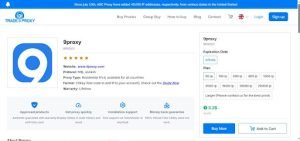
Real Example: Buying 9Proxy via TradeProxy

9Proxy is a well-known residential proxy provider offering rotating IPv4 IPs with stable performance and wide GEO coverage.

Price Comparison

  • Direct from 9Proxy: approximately $20 for 100 IPs
  • Via TradeProxy: only $5 for 100 IPs

This represents a saving of over 70%, while maintaining the same IP quality, rotation logic, and official dashboard access.

How the Purchase Process Works

  1. Purchase a 9Proxy plan on TradeProxy
  2. Receive a CDKey instantly
  3. Visit the official 9Proxy website and open the Top-Up section
  4. Enter the CDKey to add the IP balance immediately

? Purchase 9Proxy at a lower price here: https://tradeproxy.net/buy-proxy/9proxy

Why TradeProxy Is Suitable for WhiteLink Clients

WhiteLink users often work with traffic sources that require careful preparation, testing, and moderation-friendly environments. In such workflows, IP reputation and traffic cleanliness play an important role.

TradeProxy provides clean residential IPv4 proxies that can be used for:

  • Testing white pages before launch
  • Performing geo and content checks
  • Preparing campaigns with reduced IP-based risk

By combining WhiteLink’s white page solutions with TradeProxy’s clean proxy infrastructure, users can build more stable and predictable traffic setups.

Visit TradeProxy today!

TradeProxy is a practical solution for users who need reliable residential proxies without overpaying. With transparent CDKey delivery, trusted proxy brands, and competitive pricing, TradeProxy supports professional traffic workflows across multiple industries.

? Official website: https://tradeproxy.net

?  Support email: support@tradeproxy.net

Mango Proxy: How Stable Proxies Support Moderation and Secure Ad Traffic Operations

During campaign reviews, advertising systems go beyond surface-level content. A well-assembled white page is a necessary condition for launching advertising campaigns — for advertising systems, content is only part of the picture. Properly configured proxies help keep traffic predictable, giving platforms a coherent view of the campaign. Even a compliant page may trigger additional checks if the technical environment appears fragmented or unstable.

The Role of Proxies in Advertising Workflow and Traffic Operations

Proxy servers act as intermediaries between advertising accounts and platforms, shaping how traffic sources are perceived at the network level.

Within advertising workflows, proxies influence session continuity, trust signals, and behavioral consistency across browser profiles, account access, tracking systems, and analytics tools.

They are used at all stages of campaign setup:

  • configuring browser profiles
  • routing sessions
  • exchanging data with trackers
  • supporting analytics, verification, and anti-fraud systems

When routing differs across layers, platforms receive mixed signals that undermine otherwise compliant activity.

This is especially relevant during moderation, where advertising systems expect continuity across sessions in network type, geographic logic, and connection conditions.

Why Randomized IP Patterns Raise Red Flags

Unstructured or frequently changing IP sources introduce noise into behavioral signals. Sudden shifts in location, ASN, or connection quality can raise automated flags, leading to additional reviews or delivery limitations.

These effects often appear as delayed approvals, uneven delivery, or unexplained CPM fluctuations.

How Network Consistency Shapes Platform Trust

Trust within advertising systems depends on consistency. Stable IP histories and predictable geographic patterns allow platforms to classify activity as familiar instead of anomalous.

Infrastructure trust is built gradually through repeated confirmation that sessions originate from consistent network segments. Excessive rotation interrupts this process, while stable proxy routing supports long-term account resilience.

Choosing the Right Proxy Type for Advertising Tasks

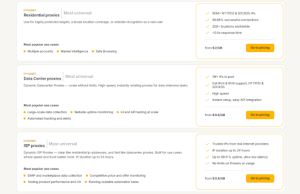
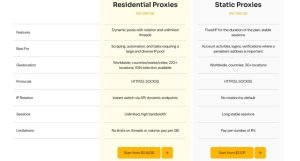
Residential proxies, particularly dynamic ones, offer the highest level of behavioral naturalness. They are commonly used for account creation, warm-up phases, and long-term cabinet activity where continuity matters most.

ISP proxies — both dynamic and static — provide a balance between speed and stability. They are suitable for active advertising operations, SMM workflows, and environments where performance and predictability must coexist.

Datacenter proxies, whether static or rotating, are better suited for auxiliary tasks: technical testing, integrations, automation, and infrastructure-level operations that do not directly interact with moderation-sensitive accounts.

Mango Proxy as an Infrastructure Layer for Advertising

Mango Proxy is built around the idea that proxy infrastructure should be adaptable to advertising logic. The platform provides residential, ISP, and server-based proxies designed to support long-term operational consistency.

Mango Proxy service works with a global pool of more than 90 million IP addresses spanning over 200 locations. These pools are refreshed daily, helping prevent saturation and maintain consistent network quality.

Support for HTTP and SOCKS5 protocols, session control, and API-based integration allows teams to scale advertising workflows while maintaining predictable behavior.

How Mango Proxy Works Alongside White Pages and Ad Accounts

A white page is responsible for content compliance, but it does not operate in isolation. Advertising platforms evaluate pages within a broader technical context that includes IP history, session behavior, and network consistency.

When a properly assembled white page is paired with stable proxy routing, visible content signals align with background technical signals.

This setup becomes especially important in practical operational scenarios:

  • launching new advertising accounts;
  • scaling campaigns;
  • working with multiple traffic sources.

The Mango Proxy proxy infrastructure provides a stable network layer that supports predictable session behavior across advertising accounts, allowing white pages to perform their intended role without being undermined by technical inconsistencies.

Who Should Choose Mango Proxy

This infrastructure approach is commonly used by media buyers, agencies, and in-house teams running campaigns across Google Ads, Meta, or TikTok platforms, particularly in multi-regional scenarios where long-term operational stability is critical.

A tip for our readers: use promo code WHITELINK to get a 20% discount.

Conclusion

Proxy servers are part of the technical foundation that determines how platforms interpret advertising activity over time.

Just as white pages define what is shown, infrastructure defines how it is perceived. In this context, Mango Proxy supports structural reliability that directly influences moderation outcomes and campaign longevity.